
Key facts
- Manuals
- 1
- Languages
- ZH
- Last added
- 2012-01-16
Featured GridMol manuals
GridMol User Manual
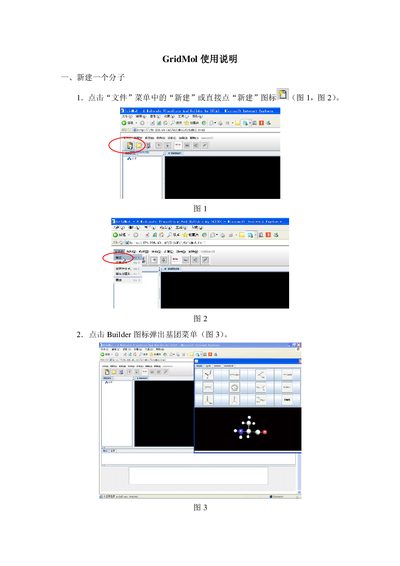
This manual explains how to build a new molecule in GridMol. Users can start a new project by selecting the File → New command or clicking the New icon, then add functional groups from the Builder menu and adjust geometry using the Modify menu.
It also covers how to open existing coordinate files (e.g., PDB), change display modes, and save work as coordinate files or images via the File → Save As options. This manual is written in Chinese.
Covers: Creating a New Molecule · Editing Molecular Geometry · Saving Molecules · Opening Existing Molecule Files · Changing Display Modes
Latest GridMol manuals
GridMol User Manual
User Manual 4 pages · 653 KB · ZHThe GridMol User Manual provides step‑by‑step instructions for creating, editing, and saving molecular structures.
Which document do I need?
User Manual
Day-to-day operation, settings and troubleshooting. Start here if the product is already set up.
Questions answered in GridMol manuals
How do I create a new molecule?
Select File → New from the menu or click the New icon to start a new molecule.
From: GridMol User Manual
How can I save a molecule as a coordinate file?
Choose File → Save As Molecule to store the constructed molecule as a coordinate file.
From: GridMol User Manual