
Key facts
- Manuals
- 1
- Languages
- ZH
- Last added
- 2011-11-04
Featured GAGOR manuals
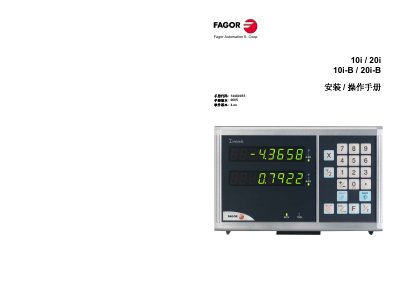
GAGOR 10i 20i 10i-B 20i-B Manual
This manual provides step‑by‑step instructions for installing and operating the Fagor Automation 10i / 20i digital readout used on machine tools. It describes the front panel layout, power‑on procedures, and how to switch between display units and resolution modes.
The guide also covers zero‑point selection, tool‑length compensation, special functions such as ratio coefficients and work‑piece centering, as well as safety, warranty and maintenance information. This manual is written in Chinese.
Covers: Digital Readout Overview · Front Panel and Power On/Off · Display Modes and Units · Zero‑Point Search and Machine Reference · Tool Length Compensation · Installation Guidelines
Latest GAGOR manuals
GAGOR 10i 20i 10i-B 20i-B Manual
Installation Guide 29 pages · 538 KB · ZHInstallation and operation guide for the Fagor Automation 10i / 20i digital readout, covering setup, display modes, zero‑point search and maintenance.
Which document do I need?
Installation Guide
Mounting, wiring and first power-up. Read it before the hardware goes in.
Questions answered in GAGOR manuals
How do I switch between millimeter and inch display?
Press the unit key; the display toggles between millimeter and inch. The INCH indicator light turns on for inches and off for millimeters.
How can I preserve the current position before turning off the readout?
Press the on/off key before disconnecting power; the readout saves the current position so it can be restored after power is restored.