
Key facts
- Manuals
- 8
- Models
- 1
- Languages
- ZH · EN · JA
- Last added
- 2012-03-16
FIBER models by category
Featured FIBER manuals
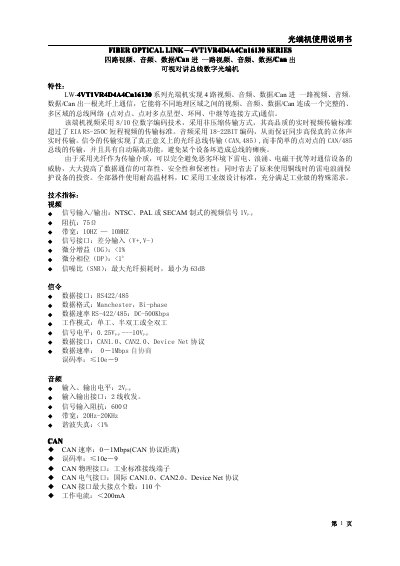
FIBER OPTICAL LINK 4VT1VR4D4A4Cn16130 series Optical Manual
This manual describes the features, technical specifications and functions of the LW-4VT1VR4D4A4Cn16 optical terminal, including video, audio, data/CAN transmission and the advantages of fiber‑optic communication. It explains the device’s video encoding, audio coding, CAN implementation and protective functions such as automatic isolation.
Installation, wiring, safety precautions and maintenance procedures are covered in detail. The guide includes mechanical dimensions, environmental limits, power‑supply recommendations, connector handling, and troubleshooting steps for power, video and data issues. This manual is written in Chinese.
Covers: Technical Specifications · Electrical and Mechanical Characteristics · Panel Diagram and Usage · Fiber Optic Connection Diagram · Order Information · Device Maintenance
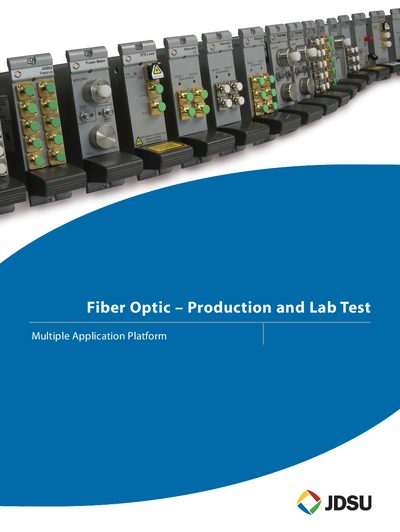
JDSU Multiple Application Platform (MAP) Selection Guide
The Multiple Application Platform (MAP) is a modular, rack‑mountable instrumentation system for optical test and measurement. It is offered in two chassis formats – the 8‑slot MAP Master (MAP+2M00) and the 3‑slot MAP Benchtop (MAP+2B00) – both supporting hot‑swappable instrument cassettes and a common backplane.
The guide lists the full MAP product line, including EDFA amplifiers, polarization controllers, tunable filters, broadband sources, power meters, various lasers, switches, attenuators and utility cassettes, together with key features, safety compliance, ordering codes and support information.
Covers: MAP Master · MAP Benchtop · MAP EDFA · MAP Polarization Controller · MAP Tunable Grating Filter · MAP Broadband Source
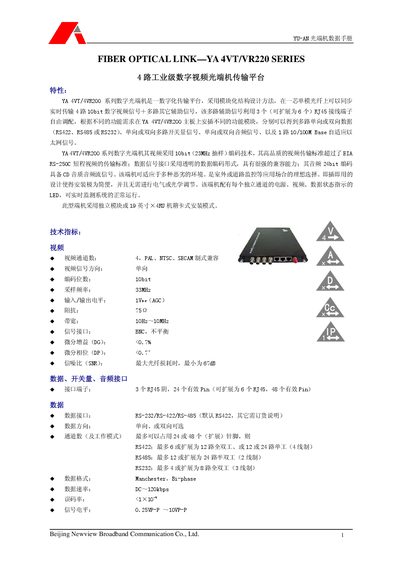
Newview YA 4VT/VR220 Fiber Optical Link Handbook
This handbook describes the YA 4VT/VR220 series fiber optical link, a digital video transmission platform that supports up to four 10‑bit video channels and multiple data interfaces. It outlines the functional modules, signal formats, and compatible video standards (PAL, NTSC, SBCAM).\n\nTechnical data include channel counts, electrical and optical characteristics, installation dimensions, environmental ratings, and connector types. The document also lists typical configurations and model variants within the series. This manual is written in Japanese.
Covers: General Description · Channel Configuration · Supported Video Standards · Signal Interfaces · Installation Dimensions · Electrical Specifications
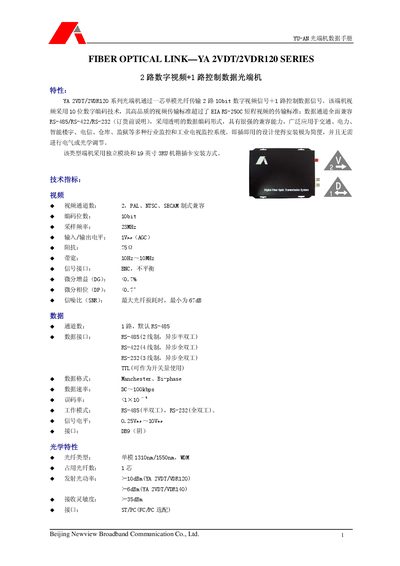
Newview YA 2VDT/2VDR120 Fiber Optic Link Optical Handbook
This handbook describes the YA 2VDT/2VDR120 series fiber optic transceiver, which supports two 10‑bit digital video channels (PAL, NTSC, SBCAM) and one control‑data channel. It highlights high‑precision transmission, RS‑485/RS‑422/RS‑232 compatibility, and easy plug‑and‑play installation.
Physical specifications include a 19‑inch 3RU chassis, dimensions of 245 mm × 178 mm × 28 mm, 12 VDC power input, operating temperature from –40 °C to +70 °C, and MTBF over 100 000 hours. Optical characteristics cover single‑mode 1310 nm/1550 nm wavelengths, output power >‑10 dBm, and sensitivity >‑35 dBm. Various interfaces such as BNC video, DB9 RS‑485/RS‑422/RS‑232, and TTL are provided. This manual is written in Japanese.
Covers: Technical Specifications · Video Standards · Signal Interfaces · Optical Characteristics · Mechanical and Installation Dimensions · Environmental Ratings
Latest FIBER manuals
FIBER OPTICAL LINK 4VT1VR4D4A4Cn16130 series Optical Manual
User Manual 7 pages · 221 KB · ZHThe Fiber LW-4VT1VR4D4A4Cn16 optical terminal user manual provides specifications, installation, operation and maintenance instructions.
JDSU Multiple Application Platform (MAP) Selection Guide
Product Leaflet 61 pages · 2.3 MB · ENA selection guide describing JDSU's MAP family of modular optical test instruments and accessories.
Newview YA 4VT/VR220 Fiber Optical Link Handbook
User Manual 3 pages · 195 KB · JAThe handbook provides specifications, installation dimensions, and interface details for the Newview YA 4VT/VR220 fiber optical link series.
Newview YA 2VDT/2VDR120 Fiber Optic Link Optical Handbook
User Manual 2 pages · 150 KB · JAThe Newview YA 2VDT/2VDR120 optical link handbook provides specifications, interfaces, and installation details for the 2‑channel digital video and control…
FIBER OPTICAL LINK YA 2VT/VR220 SERIES 2 road industrial digital video Optical transfer platform Manual
FIBER OPTICAL LINK YA 2VT/2VR120 SERIES 2 road digital video Optical Manual
FIBER OPTICAL LINK YA VGA330T/R SERIES 1 road digital VGA video Optical SHUOMS
FIBER OPTICAL LINK YA 4VDT/4VDR120 SERIES 4 road digital video +1 road control date Optical Manual
Which document do I need?
User Manual
Day-to-day operation, settings and troubleshooting. Start here if the product is already set up.
Questions answered in FIBER manuals
What should I check if the power indicator does not light?
Verify that the power cable is properly connected, the correct power type is selected, voltage is present and stable, the adapter works, the fuse is intact, and the unit is properly grounded.
From: FIBER OPTICAL LINK 4VT1VR4D4A4Cn16130 series Optical Manual
How can I troubleshoot a video indicator that is not lit?
Check that the video input is correctly connected to the optical transmitter, ensure the video output of the receiver is properly linked to the display device, and confirm the video input type is correct.
From: FIBER OPTICAL LINK 4VT1VR4D4A4Cn16130 series Optical Manual
What is the maximum number of channels supported by the MAP Large Channel Count Switch?
The switch can connect a common port to up to 50 channels.
From: JDSU Multiple Application Platform (MAP) Selection Guide
What is the output power of the MAP EDFA high‑power booster model?
It provides an output of 21 dBm.
From: JDSU Multiple Application Platform (MAP) Selection Guide
How many video channels does the YA 4VT/VR220 support?
It supports up to four video channels.
Which video standards are compatible with the YA 4VT/VR220?
The device is compatible with PAL, NTSC, and SBCAM standards.