
Key facts
- Manuals
- 3
- Models
- 1
- Languages
- ZH · JA
- Last added
- 2026-09-29
EIM models by category
Featured EIM manuals
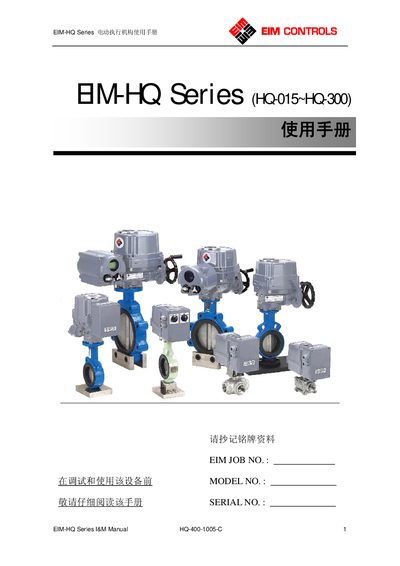
EIM HQ-015~HQ-300 Electric Actuator User Manual
This document describes the EIM HQ series electric actuators (model range HQ‑015 to HQ‑300). It covers product overview, mechanical assembly with valves, external structure, electrical wiring diagrams, power supply requirements, and operating modes.
Detailed sections guide users through manual operation, mechanical limit adjustment, travel‑switch and torque‑switch settings, reverse‑rotation configuration, lubrication, indicator adjustment, routine maintenance, storage, and troubleshooting. This manual is written in Chinese.
Covers: 概述 · 电动执行机构与阀门的装配 · 外部结构 · 电气接线图 · 供电电源 · 工作制式
EIM TEC2000 User Manual
This manual explains the purpose of the TEC2000 controller and outlines important safety information, including warnings about high temperature, high voltage, flammable and toxic conditions. Users are instructed to read the safety sections before any installation or operation.
It then covers installation guidelines, power‑supply connections (24 V DC or 115/230 VAC), parameter setup, normal operation, diagnostics, and maintenance procedures such as fuse replacement and clicker replacement. This manual is written in Japanese.
Covers: Important Information · Quick Start · Installation Guide · Operation Guide · Parameter Settings · Diagnostics and Troubleshooting
Latest EIM manuals
EIM HQ-015~HQ-300 Electric Actuator User Manual
User Manual 14 pages · 494 KB · ZHThe manual provides overview, installation, wiring, operation, and maintenance instructions for EIM HQ series electric actuators.
EIM TEC2000 User Manual
User Manual 69 pages · 6.6 MB · JAThe manual provides safety warnings, installation steps, setup, operation instructions and troubleshooting for the EIM TEC2000 control unit.
EIM CONTROLS TEC2000 Manual
This manual introduces the use of the TEC2000 electric actuator, including installation, operation and customized parameters.
Which document do I need?
User Manual
Day-to-day operation, settings and troubleshooting. Start here if the product is already set up.
Questions answered in EIM manuals
How do I set the travel limit switches?
Manually move the actuator to the closed position, loosen the limit cam screw with a 4 mm hex key, turn the cam clockwise until a “click” is heard, then tighten the screw; repeat for the open position in the opposite direction.
How can I reverse the rotation direction of the actuator?
Swap the wiring of terminals 9 and 10, and also swap terminals 11 and 12; for PCU modules also exchange the P1 and P3 inputs, then recalibrate if needed.
How do I set the limits before operating the TEC2000?
Use the LCD screen to select “SET LIMITS BEFORE OPERATING” and confirm each limit with the YES button.
From: EIM TEC2000 User Manual
How can the fuse in the TEC2000 be replaced?
Open the STC terminal, remove the existing 600 V 2 A fuse and install a new BUSSMANN TDC600V 2 A (EIM P/N 7019900425) fuse.
From: EIM TEC2000 User Manual