
Key facts
- Manuals
- 1
- Languages
- ZH
- Last added
- 2012-02-29
Featured eastviewer manuals
EastViewer User Manual
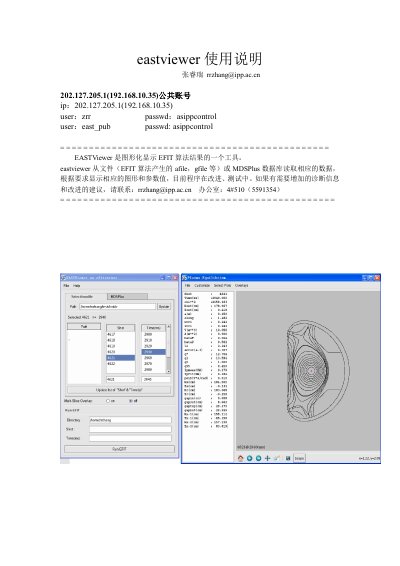
EastViewer is a graphical tool for visualizing the results of the EFIT algorithm. It can read data from EFIT output files (such as afile and gfile) or directly from an MDSPlus database, then display plasma equilibrium parameters, boundaries, and magnetic flux diagrams. The interface allows selection of shots and time slices, and offers features like contour adjustment, animation of multiple slices, and diagnostic overlays.
The manual explains how to log in to the EFIT server via Xmanager, launch EastViewer, navigate the main window, and use the Preference, Animation, Customize, and EFIT Pointnames dialogs. It also covers troubleshooting steps for common issues such as missing jScope window titles and unresponsive time‑slice selections. This manual is written in Chinese.
Covers: 使用说明 · Plasma Equilibrium Window · Preference · Animation · Customize · EFIT Pointnames
Latest eastviewer manuals
EastViewer User Manual
User Manual 8 pages · 1.4 MB · ZHThe EastViewer User Manual provides step‑by‑step instructions for displaying EFIT algorithm results from files or MDSPlus databases.
Which document do I need?
User Manual
Day-to-day operation, settings and troubleshooting. Start here if the product is already set up.