
Key facts
- Manuals
- 2
- Languages
- ZH · EN
- Last added
- 2026-10-01
Featured E-MU manuals
E-MU 0404 PCI-E Sound Card User Manual
This manual introduces the E‑MU 0404 PCI‑E digital audio sound card, describing its hardware design, DSP features, and supported audio formats. It guides users through installing the card, connecting analog and digital audio lines, and configuring the PatchMix DSP mixer.
Safety precautions, connector types, and detailed technical specifications are listed, along with network reference links for driver updates and support resources. This manual is written in Chinese.
Covers: Introduction · Installation · PCIe Card and Interfaces · PatchMix DSP Mixer · Effects · Technical Features
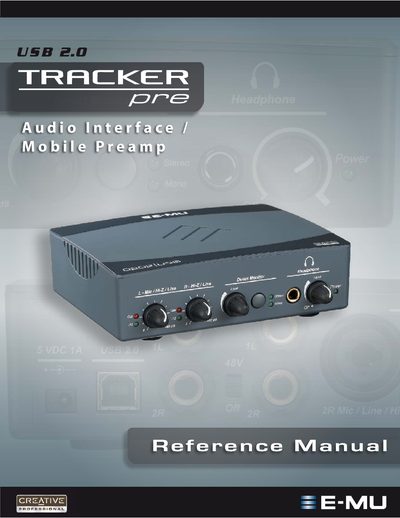
E-MU Tracker Pre USB 2.0 Audio Interface Reference Manual
This reference manual introduces the Tracker Pre USB 2.0 audio interface, describing its features such as 24‑bit/192 kHz converters, XTC™ Class‑A preamps, and optional phantom power. It lists the package contents, computer system requirements for Windows and macOS, and step‑by‑step software installation instructions.
The guide also covers the front‑panel controls, direct‑monitoring options, technical specifications, and a troubleshooting index. Additional sections provide wiring diagrams, cable recommendations, and tips for using the device with popular DAWs such as Cubase, Sonar, and Ableton Live.
Covers: Introduction · Package Includes · Computer Requirements · Software Installation · Controls & Headphone Output · Direct Monitoring
Latest E-MU manuals
E-MU 0404 PCI-E Sound Card User Manual
User Manual 63 pages · 3 MB · ZHThe E-MU 0404 PCI‑E sound card user manual provides installation steps, connector details, and technical specifications.
E-MU Tracker Pre USB 2.0 Audio Interface Reference Manual
User Manual 56 pages · 3.2 MB · ENThe E-MU Tracker Pre USB 2.0 manual provides setup, operation, specifications, and troubleshooting for the mobile preamp.
Which document do I need?
User Manual
Day-to-day operation, settings and troubleshooting. Start here if the product is already set up.
Questions answered in E-MU manuals
How do I install the Tracker Pre drivers on Windows?
Connect the Tracker Pre to the computer with the supplied USB cable, insert the E‑MU Software/Manual Installation CD, run setup.exe, and follow the on‑screen prompts. Restart the computer after installation.
From: E-MU Tracker Pre USB 2.0 Audio Interface Reference Manual
What are the minimum computer requirements for the Tracker Pre?
A 1.2 GHz Intel or AMD processor, 512 MB RAM, a Hi‑Speed USB 2.0 port, and at least 900 MB of free hard‑disk space on Windows (500 MB on macOS).
From: E-MU Tracker Pre USB 2.0 Audio Interface Reference Manual