
Key facts
- Manuals
- 1
- Languages
- ZH
- Last added
- 2012-03-09
Featured DCCP100U-H manuals
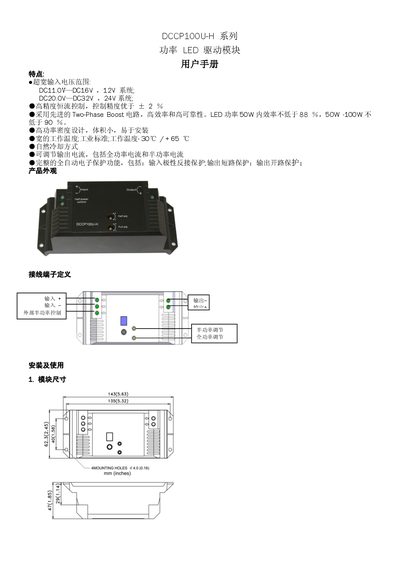
Philips DCCP100U-H Power LED Driver User Manual
The Philips DCCP100U-H series power LED driver module provides a wide input voltage range (11‑16 V for 12 V systems, 20‑32 V for 24 V systems) and high‑precision constant‑current control with ±2 % accuracy. It features a two‑phase boost circuit for high efficiency, natural cooling, and comprehensive protection functions such as reverse polarity, short‑circuit and open‑circuit protection.
The manual explains the physical layout, terminal definitions, wiring procedures, and how to adjust half‑power and full‑power output using the dedicated knobs. It also includes connection guidelines for power LEDs, power supplies, and solar controllers, as well as a detailed technical specifications table for both the 12 V/50 W and 24 V/100 W variants. This manual is written in Chinese.
Covers: Features · Physical Appearance · Terminal Definitions · Installation and Use · Wiring Specifications · Cable Guidelines
Latest DCCP100U-H manuals
Philips DCCP100U-H Power LED Driver User Manual
User Manual 2 pages · 289 KB · ZHUser manual for the Philips DCCP100U-H LED driver module, covering features, wiring, adjustments and technical specifications.
Which document do I need?
User Manual
Day-to-day operation, settings and troubleshooting. Start here if the product is already set up.
Questions answered in DCCP100U-H manuals
How do I adjust the half‑power output?
Connect the external half‑power control terminal to a positive voltage to enable half‑power mode, then turn the half‑power adjustment knob with a flat‑head screwdriver until the desired output is reached.
How can I set the output current for full‑power mode?
Connect the external half‑power control terminal to negative (ground), which puts the module in full‑power mode, and adjust the full‑power adjustment knob with a flat‑head screwdriver to reach the required current.