
Key facts
- Manuals
- 1
- Languages
- ZH
- Last added
- 2012-03-09
Featured BMWCIC接口盒安装使用说明v201011 manuals
BMWCIC Interface Box installation User Manualv201011
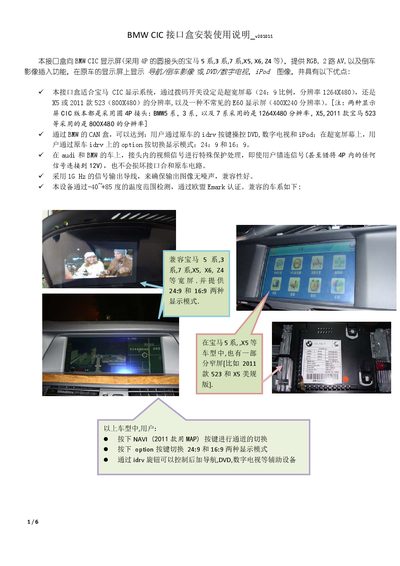
The BMW CIC Interface Box adds RGB, dual AV and reverse‑camera inputs to compatible BMW CIC displays (e.g., 5‑Series, 3‑Series, 7‑Series, X5, X6, Z4). It supports both 24:9 widescreen and 16:9 modes and protects the vehicle’s CAN bus from incorrect connections.
The manual details how to connect the CAN and power lines, configure DIP switches for video resolution and input selection, use the side MENU/Option buttons, and optionally attach a touch panel or external relay. Technical specifications such as voltage ranges, power consumption and video signal parameters are also provided. This manual is written in Chinese.
Covers: Compatibility · CAN and Power Wiring · Video Input Connections · User Button Functions · DIP Switch Settings · Side Menu Button Usage
Latest BMWCIC接口盒安装使用说明v201011 manuals
BMWCIC Interface Box installation User Manualv201011
Installation Guide 6 pages · 713 KB · ZHInstallation guide for the BMW CIC Interface Box, covering wiring, DIP‑switch settings and button functions.
Which document do I need?
Installation Guide
Mounting, wiring and first power-up. Read it before the hardware goes in.
Questions answered in BMWCIC接口盒安装使用说明v201011 manuals
How do I switch between 24:9 and 16:9 display modes?
Press the Option button on the iDrive controller to toggle between the two aspect ratios.
What voltage does the relay control output provide?
The relay control output provides +5 V and can drive up to 3 A of current.