
Key facts
- Manuals
- 1
- Languages
- ZH
- Last added
- 2012-01-15
Featured BDM12 manuals
Metrowerks BDM12 Development Tool User Manual
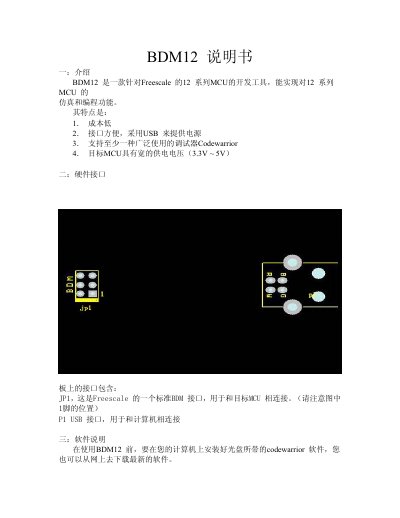
The BDM12 is a low‑cost development tool for Freescale 12‑series microcontrollers. It provides a USB‑powered interface (JP1) that connects to the target MCU and supports the Codewarrior debugger. The target MCU can operate from 3.3 V to 5 V.
The manual guides you through installing the required Windows driver (using the bin_tbdml_win_driver_11.zip package), setting up the Codewarrior software, and configuring the Hi‑wave debugger. After driver installation and a system reboot, the BDM12 appears in the debugger, allowing you to program and debug your MCU projects. This manual is written in Chinese.
Covers: Introduction · Hardware Interface · Software Requirements · Windows Driver Installation · Using Hi‑wave Debugger
Latest BDM12 manuals
Metrowerks BDM12 Development Tool User Manual
User Manual 5 pages · 528 KB · ZHThe Metrowerks BDM12 Development Tool User Manual explains hardware interfaces, driver installation, and debugging setup for Freescale 12‑series MCUs.
Which document do I need?
User Manual
Day-to-day operation, settings and troubleshooting. Start here if the product is already set up.
Questions answered in BDM12 manuals
How do I install the Windows driver for the BDM12?
Connect the BDM12 via USB, let Windows detect the new hardware, choose “Install from a specific location”, and select the driver found in the bin_tbdml_win_driver_11.zip file on the supplied CD.
What software must be installed before using the BDM12?
You need to install the Codewarrior software and the USB driver plus the Windows DLL interface library, all of which are provided on the accompanying CD.