
Key facts
- Manuals
- 4
- Languages
- EN
- Last added
- 2026-09-28
Featured AVer manuals
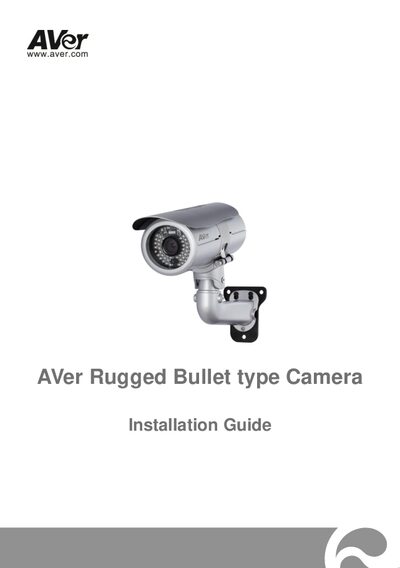
AVer FB2028‑T1/T2/TM and FB3028‑RT1/RT2/RTM Rugged Bullet IP Camera Installation Guide
This Installation Guide walks you through unpacking, safety precautions, and the complete installation process for AVer Rugged Bullet IP cameras. It includes package contents, optional accessories, and detailed diagrams for internal connections and I/O terminals.
The guide covers mounting the camera on a wall, configuring Ethernet or PoE network connections, powering the unit via 12 V DC adapter or PoE, and provides full technical specifications such as lens type, illumination, resolution and environmental ratings.
Covers: Package Contents · Mounting the IP Camera · Deploying Network · Power over Ethernet (PoE) Connection · Connecting External Devices · Technical Specifications
Latest AVer manuals
AVer FB2028‑T1/T2/TM and FB3028‑RT1/RT2/RTM Rugged Bullet IP Camera Installation Guide
Installation Guide 24 pages · 1.3 MB · ENStep‑by‑step installation guide with mounting, network setup, power options and technical specs for AVer Rugged Bullet IP cameras.
AVer MediaCenter user manual
This manual introduces the basic functions, usage and precautions of AVer MediaCenter.
AVer MediaCenter Manual
AVer Media Center 3D Manual
Which document do I need?
Installation Guide
Mounting, wiring and first power-up. Read it before the hardware goes in.
Questions answered in AVer manuals
What power options can be used with the camera?
The camera can be powered by a 12 V DC adapter (4 A) or via Power over Ethernet (PoE).
From: AVer FB2028‑T1/T2/TM and FB3028‑RT1/RT2/RTM Rugged Bullet IP Camera Installation Guide
How is the camera mounted on a wall?
Use the supplied sun‑shield bolts, place the alignment sticker, drill the indicated holes, insert plastic anchors, secure the mounting bracket, and attach the camera with the hex‑socket cap bolt.
From: AVer FB2028‑T1/T2/TM and FB3028‑RT1/RT2/RTM Rugged Bullet IP Camera Installation Guide