
Key facts
- Manuals
- 6
- Categories
- 1
- Languages
- ZH
- Last added
- 2011-12-17
Featured AboveCable manuals
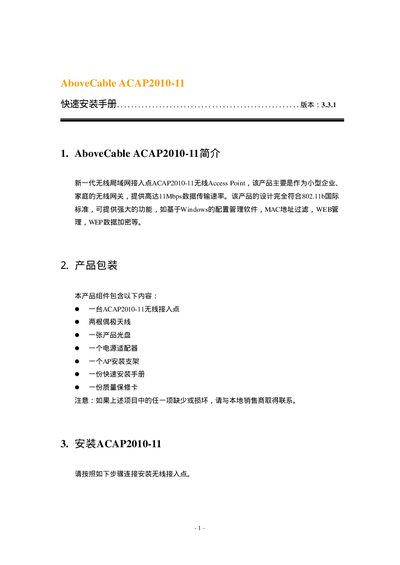
AboveCable ACAP2010-11 Quick Installation Guide
The ACAP2010-11 is a small‑business/home wireless access point that complies with the 802.11b standard and offers up to 11 Mbps data rates. The package contains the AP unit, two dipole antennas, a power adapter, a mounting bracket, a CD with the Access Point Utility, a quick‑install manual, and a warranty card.
The guide walks you through inserting the mounting bracket, attaching the antennas, connecting the AP to a hub or workstation with a shielded or crossover Ethernet cable, powering the device with the supplied 12 V DC adapter, and resetting to default settings using the DEFAULT button. It also explains how to install and run the Windows‑based Access Point Utility to configure wireless settings, IP address, DHCP, PPPoE, and security options. This manual is written in Chinese.
Covers: Introduction · Product Packaging · Installation · Configuration · Access Point Utility · Default Settings
AboveCable ACRT2010-11 Wireless Router User Manual
This manual introduces the AboveCable ACRT2010-11 wireless router, describing its features such as 802.11b support, NAT/PAT, VPN, and a web‑based management interface. It guides users through hardware installation, LED indicators, and safety precautions.
The guide also covers network setup, including default IP settings (192.168.100.100), DHCP configuration, port connections, wireless data rates, security options (WEP, firewall), and detailed technical specifications of the device. This manual is written in Chinese.
Covers: Introduction · Hardware Installation · Port Description · Network Configuration · Wireless Settings · Security Features
AboveCable ACPC2410-54/CB CardBus Adapter Quick Installation Guide
The guide begins with a list of items included in the package, such as the 54Mbps CardBus adapter, a small antenna, the quick‑installation booklet and warranty documents. It also states that the adapter complies with IEEE 802.11b/g and works with Windows 98SE/ME/2000/XP.
Installation steps show how to insert the PCMCIA/CardBus card, run the Windows driver installer and use the supplied utility to configure the device for Ad‑Hoc or Infrastructure mode, perform site surveys, and view status information. This manual is written in Chinese.
Covers: Product Packaging · Installation · Configuration · Site Survey · About · Quick Configuration
Latest AboveCable manuals
AboveCable ACAP1800-11 quick Installation Guide
AboveCable ACP C2000-11/CF2 user manual
AboveCable ACAP2010-11 Quick Installation Guide
Quick Start Guide 16 pages · 262 KB · ZHThis quick installation guide shows how to set up the AboveCable ACAP2010-11 wireless access point, including unpacking, mounting, power connection, and…
AboveCable ACPC2000-11/CF1 quick Installation Guide
AboveCable ACRT2010-11 Wireless Router User Manual
User Manual 47 pages · 545 KB · ZHThe AboveCable ACRT2010-11 Wireless Router User Manual provides installation, configuration, and operation instructions for the router.
AboveCable ACPC2410-54/CB CardBus Adapter Quick Installation Guide
Quick Start Guide 16 pages · 694 KB · ZHQuick Installation Guide for the AboveCable ACPC2410-54/CB 54Mbps CardBus wireless adapter, covering Windows setup, mode selection and utility configuration.
Which document do I need?
Quick Start Guide
The shortest path to a working setup, usually only a few pages.
User Manual
Day-to-day operation, settings and troubleshooting. Start here if the product is already set up.
Questions answered in AboveCable manuals
What items are included in the product package?
The package contains one ACAP2010-11 unit, two dipole antennas, a power adapter, a mounting bracket, a CD with the Access Point Utility, a quick‑install manual, and a warranty card.
How do I reset the router to factory defaults?
Press and hold the RESET button for about 3 seconds until the LED blinks, then release.
What is the default IP address of the router?
The router’s default IP address is 192.168.100.100, which can be changed via the web interface.
What operating systems does the ACPC2410-54/CB support?
It supports Windows 98SE, Windows ME, Windows 2000 and Windows XP.
From: AboveCable ACPC2410-54/CB CardBus Adapter Quick Installation Guide
What is included in the AboveCable ACPC2410-54/CB package?
The package contains the 54 Mbps CardBus adapter, a small antenna, the quick‑installation guide and warranty/registration documents.
From: AboveCable ACPC2410-54/CB CardBus Adapter Quick Installation Guide