
Key facts
- Manuals
- 5
- Languages
- ZH
- Last added
- 2012-07-10
Featured 4 manuals
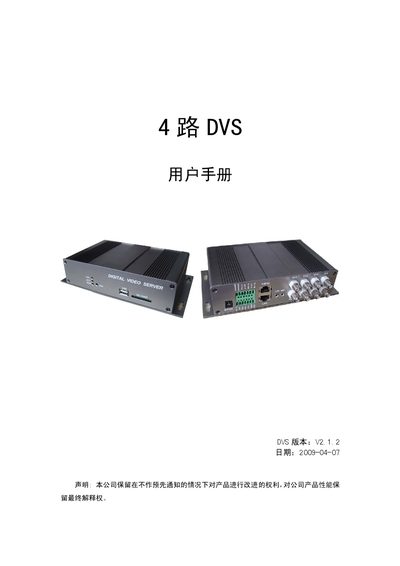
4-channel DVS User Manual
This manual describes the 4‑channel DVS video server, its hardware features, supported video formats, storage options and network capabilities. It provides detailed instructions for installing the client software, configuring system requirements, and using the client interface to view and control video streams.
The guide also covers LAN/WAN configuration, remote access via a web browser, user management, alarm handling, and firmware upgrade procedures, helping users set up and maintain the device in various surveillance scenarios. This manual is written in Chinese.
Covers: Product Overview · Performance Specifications · Product Interfaces · Front Panel · Rear Panel · Client Installation Guide
Latest 4 manuals
4 - 6HP FourStrokes STORAGE
This document introduces the storage preparation of Outboard Motors, including fuel system, water system and electrical system.
4 in 1 Cable Remote Control UR4-DCT Operating Instructions(1)
This document is the operating instructions for Universal Remote Control, Inc. UR4-DCT 4 in 1 Cable Remote Control
4 in 1 Cable Remote Control UR4-DCT Operating Instructions
This document is about the operating instructions for UR4-DCT remote control. The remote control can be used to operate Motorola DCT series and CFT series set top boxes, and also control most of the TV, VCR/DVD and AUDIO devices on the market as shown below.
4 CHANNELS DIGITAL VIDEO RECORDER Manual
4-channel DVS User Manual
User Manual 39 pages · 2.5 MB · ZHUser manual for the 4‑channel DVS network video server covering installation, configuration and operation.
Which document do I need?
User Manual
Day-to-day operation, settings and troubleshooting. Start here if the product is already set up.
Questions answered in 4 manuals
How do I install the DVS client software?
Run the installer DVS_Client_Setup.exe, choose the language, select the desired components, and follow the on‑screen prompts to complete the installation.
What should I do if the device is not on the same network segment?
Modify the device’s IP address and gateway to match the client’s network segment, or add a matching IP configuration on the PC.