
Key facts
- Manuals
- 5
- Models
- 1
- Languages
- ZH
- Last added
- 2012-03-13
SINAMICS models by category
Featured SINAMICS manuals
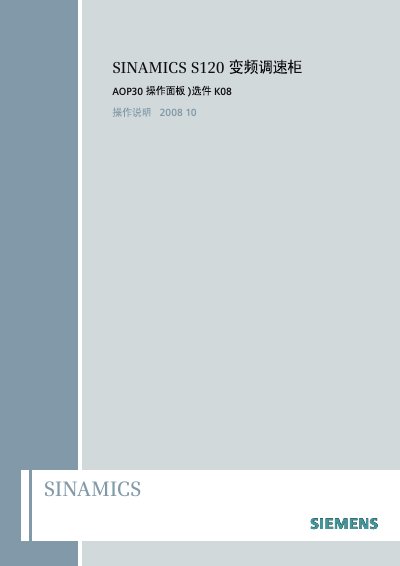
Siemens SINAMICS S120 AOP30 Operation Panel Manual
This manual provides safety instructions, an overview of the SINAMICS S120 AOP30 operation panel, and step‑by‑step guidance for initial setup, firmware loading, and motor debugging. It is intended for qualified personnel such as machine tool manufacturers, installation engineers, and service technicians.
The document also details panel navigation, parameter configuration, fault handling, language selection, and routine maintenance tasks like buffer‑battery replacement. Technical support contact information and reference URLs are included for further assistance. This manual is written in Chinese.
Covers: Safety Tips · Overview · Debugging · Operation Panel Control · Parameter Settings · Maintenance and Repair
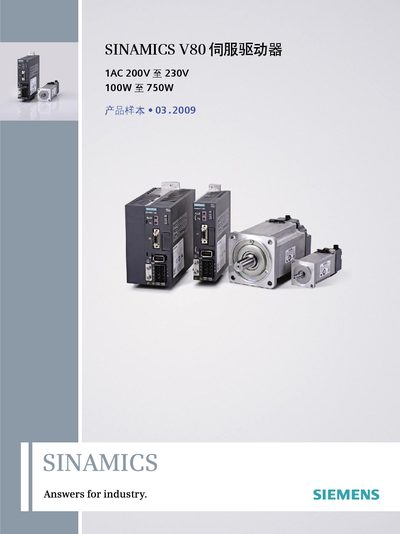
Siemens V80 Servo Driver Product Sample
The SINAMICS V80 servo driver is presented as a compact motion‑control solution that works with Siemens PLCs and HMIs. The document provides a system overview, component descriptions, and wiring examples for integrating the driver with a servomotor.
Technical data such as input voltage (200 V‑230 V AC, 50/60 Hz), power range (100 W‑750 W), pulse resolution options and signal specifications are listed, together with installation requirements and environmental limits. This manual is written in Chinese.
Covers: System Overview · System Components and Functions · Driver Interface · Pulse Settings (PULSE) · Filter Settings (FIL) · Signal Description
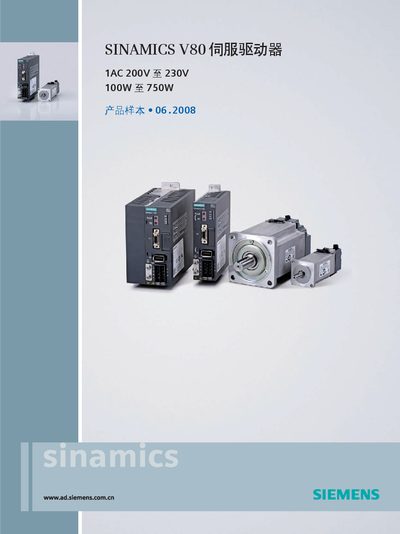
SINAMICS V80 Servo Driver Product Sample
This document presents a concise product sample for the SINAMICS V80 servo driver. It includes a system overview, description of driver interfaces, pulse and filter settings, alarm indicators, signal definitions, technical data, mechanical drawings, and wiring examples.
Installation advice covers mounting orientation, cooling requirements, vibration isolation, and environmental precautions. The sample is intended to help users understand the capabilities and integration options for the V80 series. This manual is written in Chinese.
Covers: System Overview · Driver Interface · Pulse Setting (PULSE) · Pulse Filter Setting (FIL) · Alarm Indicators (AL1/AL2/AL3) · Signal Description
Siemens SINAMICS G110 Inverter Product Leaflet
The SINAMICS G110 inverter is a compact, single‑phase drive offering power from 0.12 kW up to 3 kW. It supports 200 V‑240 V AC input and provides a wide output frequency range of 0 Hz‑650 Hz, making it suitable for fans, pumps and various industrial drive applications. The device includes built‑in A‑ or B‑class EMC filters and optional accessories such as basic operation panels (BOP) and DIN‑rail adapters.
The product leaf‑let details technical data, wiring diagrams, EMC compliance, and a full list of optional modules. It also describes installation requirements, environmental limits, and protection features like over‑voltage, under‑voltage and motor overload protection. This manual is written in Chinese.
Covers: 概况 · 优点 · 应用 · 设计 · 技术数据 · 选型和订货数据
Latest SINAMICS manuals
Siemens SINAMICS S120 AOP30 Operation Panel Manual
User Manual 69 pages · 2 MB · ZHOperation panel manual for the Siemens SINAMICS S120 AOP30 drive cabinet, covering safety, setup, control, and maintenance.
Siemens V80 Servo Driver Product Sample
Product Leaflet 28 pages · 3.1 MB · ZHProduct sample for the Siemens V80 servo driver, covering system overview, specifications, wiring and installation guidance.
SINAMICS V80 Servo Driver Product Sample
Product Leaflet 28 pages · 1.7 MB · ZHThe SINAMICS V80 servo driver product sample provides an overview, specifications, wiring diagrams, and installation guidelines.
Siemens SINAMICS G110 Inverter Product Leaflet
Product Leaflet 16 pages · ZHTechnical overview, specifications and optional accessories for the Siemens SINAMICS G110 inverter.
SINAMICS G120 frequency transformer Manual
Which document do I need?
User Manual
Day-to-day operation, settings and troubleshooting. Start here if the product is already set up.
Questions answered in SINAMICS manuals
How do I replace the buffer battery in the AOP30 panel?
First disconnect the DC 24 V power cable and the communication cable, open the battery cover, remove the old CR2032 battery, insert a new one, and then re‑assemble in reverse order.
What is the maximum charging current allowed for the buffer battery?
The buffer battery may be charged with a maximum current of 10 mA, but the operation panel limits it to less than 2 mA.
What is the recommended installation temperature for the V80 driver?
The driver should be installed in an environment where the surrounding temperature stays below 55 °C, preferably at or under 40 °C.
What input voltage range does the V80 support?
It accepts a single‑phase AC input from 200 V to 230 V at 50 Hz or 60 Hz.
What is the supply voltage range for the SINAMICS V80?
The driver operates from a single‑phase AC supply of 200 V to 230 V at 50/60 Hz.
What power ratings are available for the V80 series?
The V80 is offered with rated powers from 100 W up to 750 W.