
Key facts
- Manuals
- 2
- Languages
- EN · ZH
- Last added
- 2012-02-10
Featured Secure manuals
ENISA Secure USB Flash Drives Guide
This ENISA publication discusses the growing use of USB flash drives in corporate environments and the associated security challenges. It highlights that these portable storage devices often lack adequate security, control, and management tools, leaving corporate data vulnerable.
The document provides practical guidelines, including policy recommendations, awareness‑raising measures, and technical safeguards to help organisations protect information stored on USB flash drives. It also offers checklists and safety tips for preventing data leakage and theft.
Covers: Executive Summary · USB Flash Drives and Related Security Implications · Risks and Threats · Guidelines for Good Practice · Recommendations and Solutions · Checklist
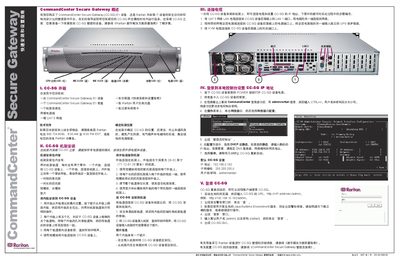
Raritan CommandCenter Secure Gateway E1 Quick Start Guide
The guide provides step‑by‑step instructions for installing the CommandCenter Secure Gateway (CC‑SG) E1 device. It covers unpacking, rack mounting, cable connections, power‑on, and initial network configuration.
After installation, the guide explains how to log in locally to set the IP address, choose DHCP or static addressing, and then access the device remotely via a web browser. This manual is written in Chinese.
Covers: Overview · Unboxing · Rack Installation · Cable Connections · Local Console Configuration · Remote Login
Latest Secure manuals
ENISA Secure USB Flash Drives Guide
Other 31 pages · 1.8 MB · ENA guide from ENISA outlining security risks, implications, and best‑practice recommendations for using USB flash drives in enterprises.
Raritan CommandCenter Secure Gateway E1 Quick Start Guide
Quick Start Guide 1 pages · 1.2 MB · ZHThis quick start guide shows how to unpack, rack‑mount, connect power and network cables, and configure the IP address of the Raritan CommandCenter Secure…
Which document do I need?
Quick Start Guide
The shortest path to a working setup, usually only a few pages.
Questions answered in Secure manuals
What security issues are associated with USB flash drives?
USB flash drives are usually lacking in security, control and management tools, making corporate data stored on them vulnerable.
What is the first step to improve USB flash drive security in an organization?
The first step is to set clear security policies and make employees aware of them.
What should I do if I did not receive all the items in the shipment?
Contact Raritan US at 800.724.8090 between 8:00 AM and 8:00 PM EST or your local Raritan office.
From: Raritan CommandCenter Secure Gateway E1 Quick Start Guide
How do I power on the CC‑SG device?
Press the POWER button on the front of the CC‑SG device.
From: Raritan CommandCenter Secure Gateway E1 Quick Start Guide