
Key facts
- Manuals
- 4
- Categories
- 1
- Languages
- ZH · EN
- Last added
- 2012-04-02
Featured SC manuals
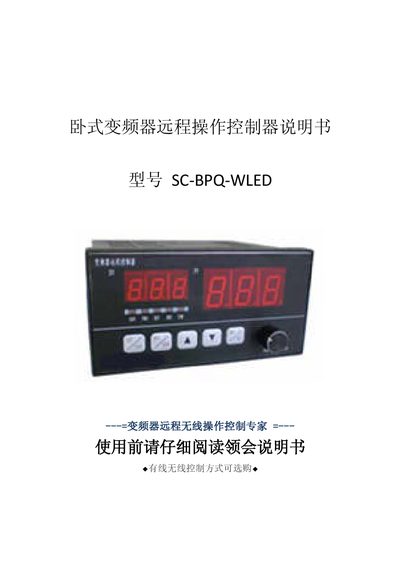
SC-BPQ-WLED Frequency Transformer Long-Range Operating Controller Manual
The SC‑BPQ‑WLED remote controller provides both wired and wireless options for operating horizontal frequency transformers from a distance. It can control start, stop, acceleration, deceleration, forward/reverse and display real‑time frequency and speed information via RS485 or wireless links up to several hundred kilometres.
The document details the device’s appearance, LED indicators, wiring diagrams, parameter configuration screens, and step‑by‑step operating procedures, including how to set communication mode, frequency limits, and safety functions such as emergency stop and fault reset. This manual is written in Chinese.
Covers: 简介 · 功能特点说明 · 技术规格及参数 · 外观说明 · 电气接线说明 · 操作说明
S&C LD Outdoor High Voltage Isolated Switch (Single Insulator/Bracket Type) Installation Manual
This manual provides installation, operation, safety and maintenance guidance for the S&C LD outdoor high‑voltage isolated switch. It is intended for qualified personnel who are trained in electrical distribution equipment and understand the associated hazards.
The document details step‑by‑step installation procedures, wiring terminal mounting, adjustment of the main blade, and how to safely open and close the switch using the S&C handheld load‑breaking device. It also covers inspection, replacement of missing or damaged tags, and proper disposal of the product at end‑of‑life. This manual is written in Chinese.
Covers: Introduction · Wiring Terminal Installation · Installation Procedure · Safety Information · Closing the Switch · Opening the Switch

SC SC-3 Digital Camera User Manual
The SC SC-3 digital camera manual provides detailed information on the camera's hardware specifications, supported file formats, and software compatibility. It includes sections on the CCD sensor, LCD display, memory options, and ISO settings.
Operating instructions cover image capture modes, USB and A/V connections, and the use of bundled software such as PhotoVista and PhotoSuite. Physical dimensions, power requirements, and battery information are also listed.
Covers: Camera Specifications · Image File Formats · Connectivity Options · Software Compatibility · Physical Dimensions
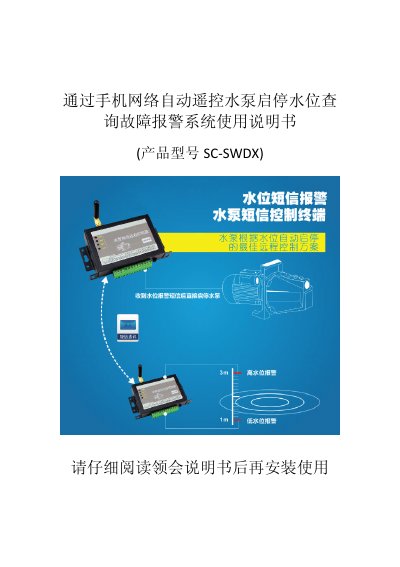
SC SC-SWDX Water Pump Remote Control System User Manual
The SC‑SWDX system provides remote start/stop control of water pumps via mobile network, with multi‑level water‑level protection and SMS alerts. It includes a receiver unit (SC‑SWDX‑R) and a transmitter unit (SC‑SWDX‑T) that communicate over GSM/CDMA frequencies.
The manual details product features, technical specifications, wiring diagrams, installation steps, fault diagnosis, warranty information and a list of customer applications. This manual is written in Chinese.
Covers: Product Features · Technical Specifications · Installation Instructions · Operation Principle · Fault Diagnosis · Warranty and Service
Latest SC manuals
SC-BPQ-WLED Frequency Transformer Long-Range Operating Controller Manual
User Manual 17 pages · 1.7 MB · ZHThis manual explains the functions, specifications, wiring, operation and parameter settings for the SC‑BPQ‑WLED horizontal frequency transformer remote…
S&C LD Outdoor High Voltage Isolated Switch (Single Insulator/Bracket Type) Installation Manual
Installation Guide 8 pages · 528 KB · ZHInstallation manual for S&C's LD outdoor high‑voltage isolated switch (single‑insulator/bracket type) with safety, wiring and operation instructions.
SC SC-3 Digital Camera User Manual
User Manual 74 pages · 2.2 MB · ENUser manual for the SC SC-3 digital camera covering specifications, operation, and connectivity.
SC SC-SWDX Water Pump Remote Control System User Manual
User Manual 10 pages · 1.3 MB · ZHUser manual for the SC‑SWDX water‑pump remote control system, covering installation, operation, specifications and troubleshooting.
Which document do I need?
User Manual
Day-to-day operation, settings and troubleshooting. Start here if the product is already set up.
Installation Guide
Mounting, wiring and first power-up. Read it before the hardware goes in.
Questions answered in SC manuals
How do I enable wireless communication mode?
Set the C13 parameter to 1; this switches the controller to wireless communication.
From: SC-BPQ-WLED Frequency Transformer Long-Range Operating Controller Manual
How can I change the frequency step size?
Adjust the C02 parameter: 0 for 0.1 Hz steps, 1 for 0.5 Hz, 2 for 1.0 Hz, etc.
From: SC-BPQ-WLED Frequency Transformer Long-Range Operating Controller Manual
Who is allowed to install and maintain the switch?
Only qualified personnel who are trained in electrical distribution equipment and understand the hazards may install, use, and maintain the device.
From: S&C LD Outdoor High Voltage Isolated Switch (Single Insulator/Bracket Type) Installation Manual
What must be used to open the switch safely?
The switch must be opened with S&C's handheld load‑breaking device; opening without it can cause flashover and injury.
From: S&C LD Outdoor High Voltage Isolated Switch (Single Insulator/Bracket Type) Installation Manual
What type of image sensor does the SC-3 camera use?
It uses a 1/2.5" CCD 390 sensor.
Which file formats are supported for image storage?
The camera supports JPEG DCF 1.0, DPOF 1.1, and EXIF 2.2 formats.