
Key facts
- Manuals
- 2
- Categories
- 1
- Languages
- ZH
- Last added
- 2000-01-01
Featured MUSILAND manuals
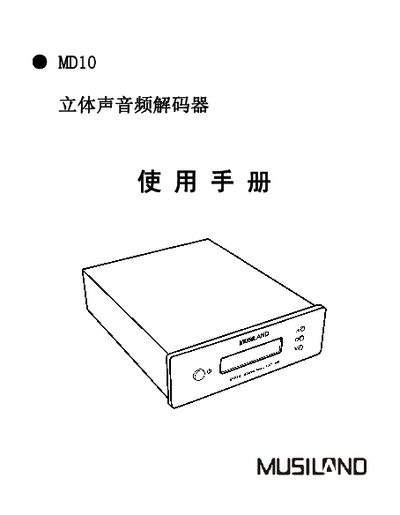
MUSILAND MD10 Stereo Audio Decoder User Manual
The MD10 is a high‑performance stereo audio decoder designed for computer multimedia and high‑fidelity music listening. This manual explains its features, connections, and how to operate the device safely.
Key sections include product specifications, interface description, step‑by‑step operation instructions, audio settings, precautions, and troubleshooting guidance to help users get the most out of the MD10. This manual is written in Chinese.
Covers: Product Overview · Package Contents · Typical Specifications · Product Features · Interface Description · Operation Instructions
MUSILAND Monitor 01 USB Sound Card User Manual
This manual introduces the Monitor 01 series USB sound cards (US, USD, MINI) from MUSILAND, describing their high‑quality audio architecture, supported interfaces, and typical performance parameters. It also lists the contents of the packaging and important safety precautions.
Detailed sections cover connection diagrams, driver installation and removal, control panel functions, advanced application settings, and after‑sales service information, helping users set up and operate the device correctly. This manual is written in Chinese.
Covers: Product Introduction · Packaging Contents · Precautions · Appearance and Interface Diagram · Functions and Interfaces · Typical Parameters
Latest MUSILAND manuals
MUSILAND MD10 Stereo Audio Decoder User Manual
User Manual 21 pages · 481 KB · ZHThe MUSILAND MD10 stereo audio decoder user manual provides setup, operation, specifications, and troubleshooting information.
MUSILAND Monitor 01 USB Sound Card User Manual
User Manual 38 pages · 751 KB · ZHThe MUSILAND Monitor 01 USB sound card user manual provides product overview, specifications, driver installation, and usage instructions.
Which document do I need?
User Manual
Day-to-day operation, settings and troubleshooting. Start here if the product is already set up.
Questions answered in MUSILAND manuals
How can I adjust the volume on the MD10?
Use the volume control in the main menu; the volume can be set from –127 dB to 0 dB in 1 dB steps.
What should I do if the LCD screen shows no display?
Check that the power cable is properly connected.
How do I install the driver for the Monitor 01 sound card?
Insert the driver CD that came with the product and run the installation program provided on the disc.
Can I use a USB hub with the Monitor 01 sound card?
No. The manual advises avoiding USB hubs and using the supplied USB cable for proper operation.