
Key facts
- Manuals
- 1
- Languages
- ZH
- Last added
- 2022-09-07
Featured YSL Photonics manuals
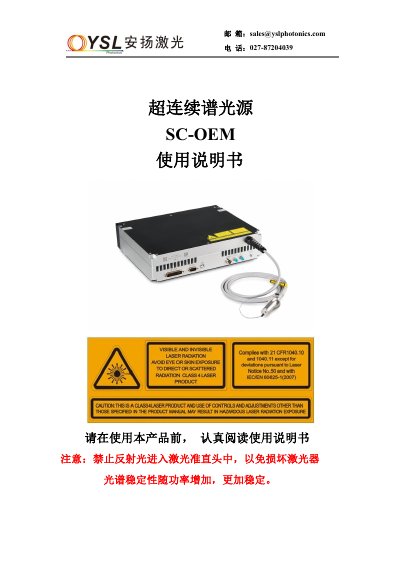
YSL Photonics SC-OEM Supercontinuum Light Source User Manual
This manual provides detailed instructions for connecting and operating the SC‑OEM supercontinuum light source. It covers electrical connections, interface definitions, remote start‑up and shut‑down procedures, and how to control the device via a mobile app.
Additional sections describe daily maintenance, storage conditions, comprehensive safety precautions, and contact information for technical support. This manual is written in Chinese.
Covers: Laser usage (electrical connection and interface definition) · Remote start sequence · Remote shutdown sequence · Mobile device control · Daily maintenance and storage · Safety matters
Latest YSL Photonics manuals
YSL Photonics SC-OEM Supercontinuum Light Source User Manual
User Manual 8 pages · 919 KB · ZHThe YSL Photonics SC-OEM user manual explains setup, remote operation, mobile control, maintenance, and safety for the supercontinuum light source.
Which document do I need?
User Manual
Day-to-day operation, settings and troubleshooting. Start here if the product is already set up.
Questions answered in YSL Photonics manuals
How do I remotely start the SC‑OEM laser?
Install the PL2303 driver, connect the USB cable, open the Laser.exe software, select the desired frequency, then gradually increase power in steps of 0% → 30% → 50% → 80% → 100%.
From: YSL Photonics SC-OEM Supercontinuum Light Source User Manual
What safety precautions must be followed when using the laser?
Never look directly at the laser emission port, avoid reflected light entering the output collimator, keep the device dry, and wear appropriate laser protection goggles.
From: YSL Photonics SC-OEM Supercontinuum Light Source User Manual