
Key facts
- Manuals
- 1
- Languages
- ZH
- Last added
- 2026-09-30
Featured Jinruida manuals
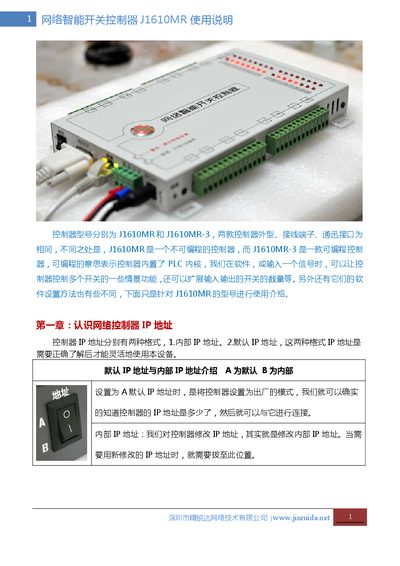
Jinruida J1610MR Network Intelligent Switch Controller User Manual
The Jinruida J1610MR is a network‑enabled intelligent switch controller with 16 relay outputs and 16 independent input channels. It supports Modbus TCP/IP, RS485, Ethernet (10 Mbps) and offers remote restart, web‑based control, and active status reporting.
The guide covers IP address configuration (default 192.168.1.250), wiring diagrams for relay and signal inputs, various control modes (trigger, edge, level, etc.), firmware reset procedures, and detailed troubleshooting steps for network and power issues. This manual is written in Chinese.
Covers: IP Address Configuration · Controller Restart · IP Address Modification · Communication Interfaces and Relay Wiring · Relay Wiring Diagram · Input/Output Naming
Latest Jinruida manuals
Jinruida J1610MR Network Intelligent Switch Controller User Manual
User Manual 14 pages · 886 KB · ZHThis manual explains how to set up, configure IP, wire relays, adjust input/output modes, and troubleshoot the Jinruida J1610MR network switch controller.
Which document do I need?
User Manual
Day-to-day operation, settings and troubleshooting. Start here if the product is already set up.
Questions answered in Jinruida manuals
What is the procedure to restart the controller after changing settings?
You can restart by pressing the reset button in the PC software, power‑cycling the 12 V supply, or pressing the indicator button on the controller.
From: Jinruida J1610MR Network Intelligent Switch Controller User Manual
How should the relay outputs be wired to control a 220 V load?
Connect the live line (L) to the common terminal (e.g., 1C). When the relay K is closed, L passes through to the normally‑open contact to power the load; the neutral (N) connects directly to the load.
From: Jinruida J1610MR Network Intelligent Switch Controller User Manual