
Key facts
- Manuals
- 1
- Languages
- ZH
- Last added
- 2026-09-29
Featured KEW MATE manuals
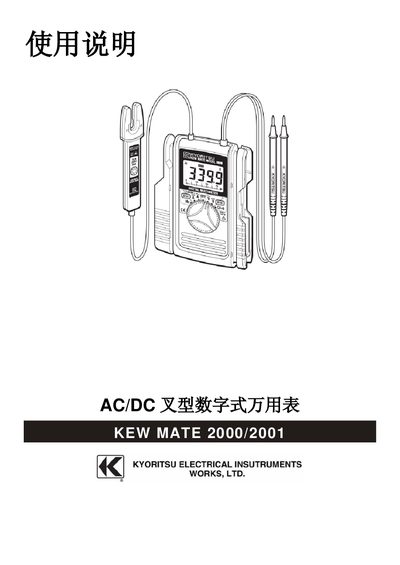
KEW MATE 2000/2001 AC/DC Digital Multimeter User Manual
This manual explains how to safely operate the KEW MATE 2000/2001 AC/DC digital multimeter. It begins with safety warnings, including IEC‑61010 compliance, voltage limits (no measurements above 600 V AC/DC), and precautions against moisture, over‑range inputs, and damaged equipment.
The guide then details the instrument’s features, technical specifications, and measurement procedures for AC/DC current, voltage, resistance, and frequency. It also covers auxiliary functions such as automatic shut‑off, data hold, range lock, and battery replacement, helping users obtain accurate readings in a variety of test environments. This manual is written in Chinese.
Covers: Safety Warnings · Features · Technical Specifications · Instrument Layout · Measurement Preparation · Measurement
Latest KEW MATE manuals
KEW MATE 2000/2001 AC/DC Digital Multimeter User Manual
User Manual 9 pages · 461 KB · ZHThe KEW MATE 2000/2001 AC/DC digital multimeter user manual provides safety warnings, features, specifications, and step‑by‑step measurement instructions.
Which document do I need?
User Manual
Day-to-day operation, settings and troubleshooting. Start here if the product is already set up.
Questions answered in KEW MATE manuals
What is the maximum AC current measurement range for Model 2000?
Model 2000 can measure AC current from 0 to 60 A with an accuracy of ±2.0 % rdg ± 5 dgt (50/60 Hz).
From: KEW MATE 2000/2001 AC/DC Digital Multimeter User Manual
How do I switch the multimeter to DC voltage measurement mode?
Set the range switch to the position that displays “DC” on the LCD, then connect the red probe to the circuit’s positive point and the black probe to the negative point.
From: KEW MATE 2000/2001 AC/DC Digital Multimeter User Manual