
Key facts
- Manuals
- 3
- Languages
- EN · ZH
- Last added
- 2026-09-30
Featured Banner Engineering manuals
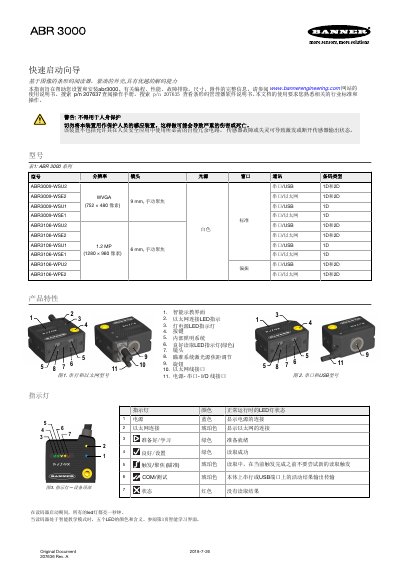
Banner ABR 3000 Barcode Reader User Manual
This manual covers the ABR 3000 barcode reader from Banner Engineering, describing its hardware features, supported barcode symbologies, and available communication interfaces. It also includes wiring diagrams, software setup for the Barcode Manager, and troubleshooting tips.
The document ends with warranty information, regulatory notices, and contact details for Banner Engineering support.
Covers: Introduction · Specifications · Installation · Operation · Wiring Diagram · Barcode Manager Software
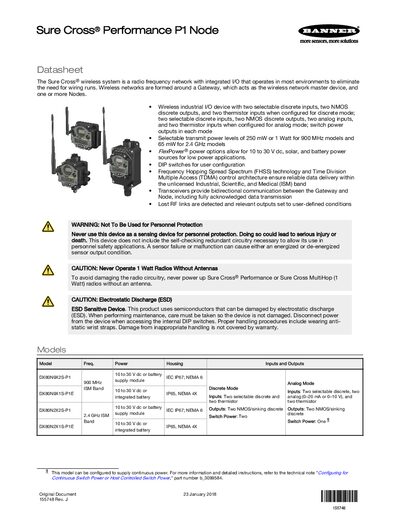
Banner Engineering Performance P1 Node Datasheet
The Performance P1 Node is a wireless industrial I/O device that eliminates wiring runs by forming a radio‑frequency network around a Gateway and one or more Nodes. It supports discrete, analog, and thermistor inputs, NMOS discrete outputs, and selectable transmit power levels.
The datasheet provides information on model variations, power options, DIP‑switch configuration, wiring diagrams, battery replacement, and Modbus register mapping, helping users set up, configure, and maintain the system.
Covers: Datasheet · Models · Storage and Sleep Modes · Configuration Instructions · DIP Switch Settings · Analog Configuration
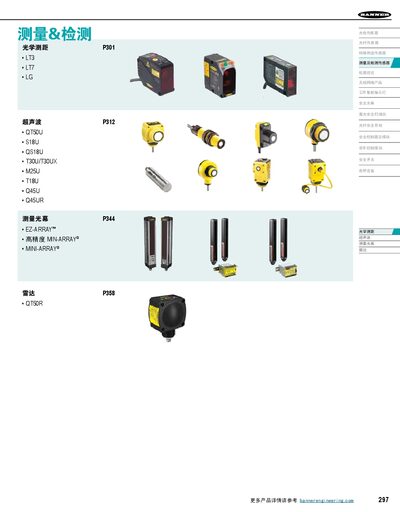
Banner Engineering L‑GAGE® Series Laser Displacement Sensor Product Manual
The manual provides detailed technical parameters, operating principles, application guidance and product selection information for the L‑GAGE® series of laser displacement sensors. It includes sections on optical ranging, ultrasonic measurement, light curtains and radar technologies used in industrial automation and inspection.
Each sensor model is described with its power supply requirements, output options (4‑20 mA, RS‑485, analog voltage), protection features (IP67, reverse polarity), measurement range, resolution and environmental specifications. Wiring diagrams, response time settings and mounting instructions are also included. This manual is written in Chinese.
Covers: 技术参数 · 工作原理 · 应用说明 · 产品选型 · 测量范围与分辨率 · 输出特性
Latest Banner Engineering manuals
Banner ABR 3000 Barcode Reader User Manual
User Manual 8 pages · 402 KB · ENThe Banner ABR 3000 barcode reader manual provides specifications, installation steps, operation instructions, and warranty details.
Banner Engineering Performance P1 Node Datasheet
Datasheet 11 pages · 894 KB · ENThe Banner Engineering Performance P1 Node datasheet details specifications, configuration options, and wiring for this wireless industrial I/O device.
Banner Engineering L‑GAGE® Series Laser Displacement Sensor Product Manual
User Manual 64 pages · 9.4 MB · ZHComprehensive manual for Banner Engineering L‑GAGE® laser displacement sensors covering LH, LT3, LT7, LG5 and LG10 models.
Which document do I need?
User Manual
Day-to-day operation, settings and troubleshooting. Start here if the product is already set up.
Datasheet
Ratings, dimensions and ordering codes, for selection and design work.
Questions answered in Banner Engineering manuals
How do you put the device into storage mode?
Press and hold button 1 for 5 seconds; the LEDs stop blinking and the radio enters storage mode.
What is the default DIP switch setting?
All DIP switches are set to OFF by default.
What is the laser wavelength of the L‑GAGE® LH sensor?
It uses a 670 nm visible red laser with a 1 mW output.
From: Banner Engineering L‑GAGE® Series Laser Displacement Sensor Product Manual
What are the power supply requirements for the L‑GAGE® series?
The sensors operate from 12 to 30 V dc, with the LH series specified at 18 to 30 V dc.
From: Banner Engineering L‑GAGE® Series Laser Displacement Sensor Product Manual