
Key facts
- Manuals
- 3
- Languages
- JA · ZH
- Last added
- 2026-09-29
Featured SoftBank manuals
SoftBank 812SH/813SH User Manual
This manual covers all basic and advanced functions of the SoftBank 812SH and 813SH handsets, including safety precautions, menu navigation, call handling, messaging, camera (812SH only), media playback, and connectivity options such as Bluetooth and infrared.
Additional sections describe phone book management, application usage, system settings, warranty information, and after‑sales service contacts, helping users get the most out of their devices. This manual is written in Japanese.
Covers: Getting Started · Basic Handset Operations · Phone Book Management · Call Settings · Camera and Video · Media Player
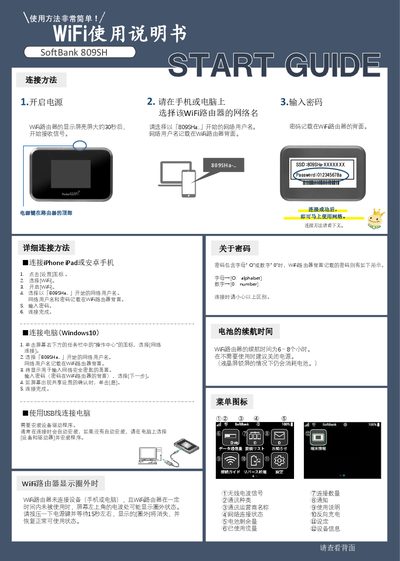
SoftBank 809SH WiFi Router User Manual
This manual explains how to connect smartphones, tablets, and computers to the SoftBank 809SH WiFi router. It details selecting the SSID that starts with "809SHa…", entering the password printed on the router’s back, and confirming the connection on various devices.
Additional sections cover battery life, display behavior, troubleshooting common issues such as no network connection or weak signal, and how to perform a factory reset or access the router’s Web UI for advanced settings. This manual is written in Chinese.
Covers: WiFi使用说明书 · 连接 iPhone iPad 或安卓手机 · 连接电脑 (Windows10) · 使用 USB线连接电脑 · 密码说明 · 电池续航时间

SoftBank 824P User Manual
This manual covers everything you need to know about the SoftBank 824P mobile phone, from basic operation and menu navigation to advanced functions such as digital TV, camera, and microSD card usage. It also includes safety information, warranty details, and contact information for support.
The guide is organized with a detailed table of contents, index, and quick‑search sections, making it easy to find instructions for specific tasks such as checking your phone number, managing contacts, or updating software. This manual is written in Japanese.
Covers: はじめに (Introduction) · 本書の構成と検索方法 (How to Use This Manual) · 機能一覧 (Feature List) · 各部の名称と機能 (Parts and Functions) · 電池パックと充電器のお取り扱い (Battery and Charger) · デジタルテレビ (Digital TV)
Latest SoftBank manuals
SoftBank 812SH/813SH User Manual
User Manual 402 pages · 14.1 MB · JAThe SoftBank 812SH/813SH user manual provides setup, operation, and feature instructions for these Japanese mobile phones.
SoftBank 809SH WiFi Router User Manual
User Manual 2 pages · 893 KB · ZHThe SoftBank 809SH WiFi router user manual provides setup steps, connection instructions, troubleshooting, and reset procedures.
SoftBank 824P User Manual
User Manual 275 pages · 9.4 MB · JAThe SoftBank 824P user manual provides instructions for using the phone’s features, settings, and troubleshooting.
Which document do I need?
User Manual
Day-to-day operation, settings and troubleshooting. Start here if the product is already set up.
Questions answered in SoftBank manuals
Does the SoftBank 813SH have a camera?
No, the SoftBank 813SH model is not equipped with a mobile camera.
How many contacts can be stored in the phone book?
The handset can store up to 750 phone book entries; USIM card limits vary.
What is the battery life of the SoftBank 809SH router?
The router can operate for about 6 to 8 hours on a full charge.
Why does the router show a circle‑out signal icon?
A circle‑out indicates a weak or no signal; move the router to a location with better reception.
How can I check my phone number?
You can view your phone number on the device’s screen.
What is the battery capacity of the 824P?
It uses a 770 mAh lithium‑ion battery.