
Key facts
- Manuals
- 1
- Languages
- ZH
- Last added
- 2026-09-29
Featured Robotis manuals
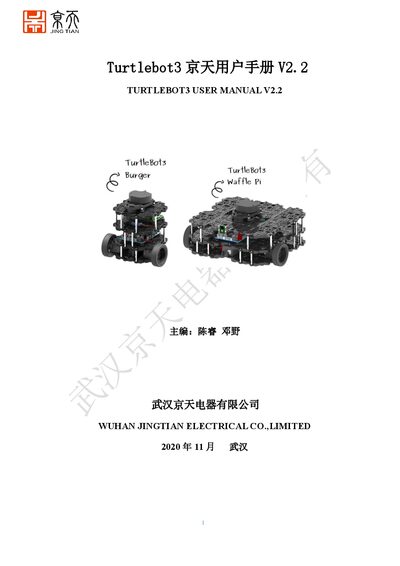
Robotis TurtleBot3 User Manual V2.2
This manual covers the hardware features of the TurtleBot3 platform, including dimensions, payload, battery, and sensor specifications for the Burger and Waffle variants. It also explains how to assemble the robot and install the required firmware on the OpenCR board.
Detailed steps are provided for setting up a remote PC with Ubuntu 16.04 and ROS Kinetic, installing the Raspberry Pi operating system, configuring network connections, and running ROS launch files for SLAM, navigation, simulation, and keyboard control. Troubleshooting tips and common issues are listed at the end of the document. This manual is written in Chinese.
Covers: Structure Features · Remote PC Ubuntu and ROS Installation · Raspberry Pi System Installation · OpenCR Firmware Configuration · Remote Connection Configuration · ROS Operation of Robot
Latest Robotis manuals
Robotis TurtleBot3 User Manual V2.2
User Manual 14 pages · 1.4 MB · ZHThe Robotis TurtleBot3 User Manual provides installation, configuration, operation, and troubleshooting instructions for the Burger and Waffle models.
Which document do I need?
User Manual
Day-to-day operation, settings and troubleshooting. Start here if the product is already set up.
Questions answered in Robotis manuals
How do I install Ubuntu 16.04 and ROS Kinetic for TurtleBot3?
Install Ubuntu 16.04 on the remote PC, then run the ROS Kinetic installation script as described in sections 2.1 and 2.2 of the manual.
How do I start the TurtleBot3 simulation in RViz?
Run `roslaunch turtlebot3_bringup turtlebot3_robot.launch` and then launch RViz with the model file using `rviz -d $(rospack find turtlebot3_description)/rviz/model.rviz`.