
Key facts
- Manuals
- 2
- Languages
- EN
- Last added
- 2026-10-01
Featured NewTek manuals
![NewTek VT[5] User Manual](/uploads/covers/4e/4e64c5a241d18894c71ee82f50ea4e04.jpg)
NewTek VT[5] User Manual
This manual provides detailed instructions for installing and using the VT[5] video production system, covering both the hardware card and the accompanying software. It is intended for video professionals who need to configure the system, understand its panels, and integrate it with other NewTek equipment.
The document includes chapters on system requirements, hardware installation, software panels, video monitoring, file management, deck control, capture, editing, switcher operation, and audio mixing, as well as a glossary of terms and legal information.
Covers: Introduction and Installation · SX-84 and SX-SDI · VT[5] Interface · Video Monitor · Filebin & File Requester · Deck Control
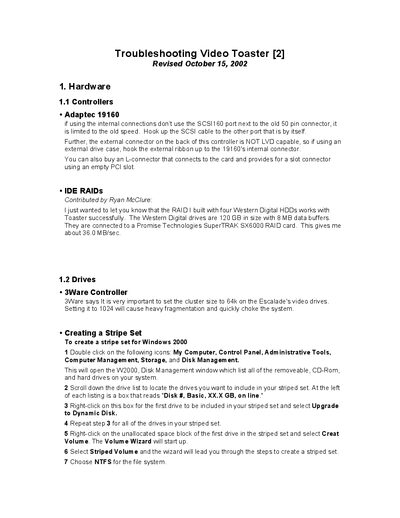
NewTek Video Toaster Troubleshooting Guide
This guide provides step‑by‑step troubleshooting for the Video Toaster system, including controller setup, RAID configuration, audio synchronization, deck control, and SX‑8 daughter‑card issues. It also offers practical tips for improving performance and avoiding common hardware failures.
The document includes detailed wiring diagrams, pin‑out tables, recommended graphics cards, and instructions for adjusting software parameters such as i2c delay and Windows service packs. It is intended for end‑users and system integrators who need to diagnose and resolve Video Toaster problems.
Covers: Hardware Overview · Controllers and RAID · Audio and Deck Control · SX‑8 Daughter Card · Graphics Card Recommendations · Motherboard Compatibility
Latest NewTek manuals
NewTek VT[5] User Manual
User Manual 410 pages · 32.6 MB · ENThe NewTek VT[5] User Manual explains installation, hardware setup, and software operation for video production.
NewTek Video Toaster Troubleshooting Guide
User Manual 55 pages · 482 KB · ENA troubleshooting guide for the NewTek Video Toaster covering hardware, drives, audio, decks and common error solutions.
Which document do I need?
User Manual
Day-to-day operation, settings and troubleshooting. Start here if the product is already set up.
Questions answered in NewTek manuals
How many copies of the VT[5] software may be installed on a computer?
The software license allows one copy to be used on a single computer at a time, but you may install it on multiple computers if you have a license for each.
From: NewTek VT[5] User Manual
Is reverse engineering of the VT[5] software permitted?
No, the license explicitly prohibits reverse engineering, decompiling, or disassembling the software.
From: NewTek VT[5] User Manual
Why does disktest.exe report slower performance when WinRTME is running?
WinRTME consumes a large portion of the PCI bus bandwidth (22‑66 MB/s), which reduces the throughput available for disk testing.