
Key facts
- Manuals
- 2
- Languages
- ZH · EN
- Last added
- 2026-09-29
Featured Molecular Devices manuals
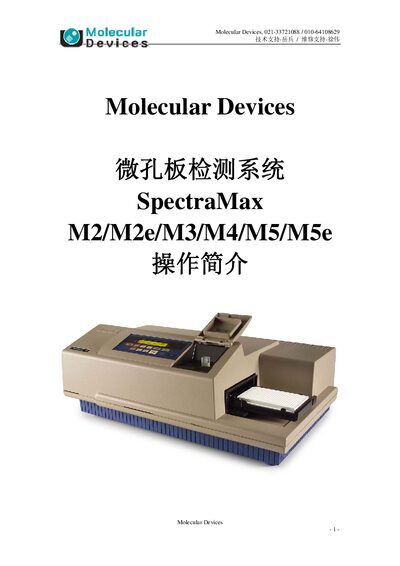
Molecular Devices SpectraMax M2/M2e/M3/M4/M5/M5e User Manual
This manual introduces the SpectraMax M2/M2e/M3/M4/M5/M5e microplate detection system, describing the instrument hardware, required power and computer connection, and the SoftMax Pro software interface. It provides step‑by‑step instructions for installing the device, configuring detection parameters, and performing four assay types.
Additional sections cover routine maintenance, recommended environmental conditions, and tips for handling different plate formats and detection modes such as absorbance, fluorescence, luminescence, and time‑resolved fluorescence. This manual is written in Chinese.
Covers: 仪器和软件总体介绍 · 硬件操作步骤及注意事项 · 仪器安装连接 · 仪器保养注意 · 软件操作步骤 · 软件界面
Molecular Devices SpectraMax M5/M5e Microplate Reader Setup Guide
The document provides step‑by‑step instructions for setting up the SpectraMax M5/M5e microplate reader to run Life Technologies GeneBLAzer® assays. It includes recommended optics wavelengths, software configuration, plate type selection, and data analysis settings, and it is also applicable to compatible SpectraMax models.
Users are instructed to open SoftMax® Pro 6, select the GeneBLAzer protocol, configure optics (excitation 410 nm, emissions 460 nm and 530 nm), set the plate format (96 or 384 wells), enable bottom‑read mode, use automatic PMT gain, and run the read. After acquisition, the guide shows how to assign wells to template groups and view results for further analysis.
Covers: Recommended Optics Wavelengths · Instrument Setup in SoftMax Pro · Plate Type Selection · PMT and Optics Settings · Reading the Plate · Data Analysis Template
Latest Molecular Devices manuals
Molecular Devices SpectraMax M2/M2e/M3/M4/M5/M5e User Manual
User Manual 20 pages · 722 KB · ZHOperation guide for the Molecular Devices SpectraMax microplate reader series covering hardware setup, software use, and maintenance.
Molecular Devices SpectraMax M5/M5e Microplate Reader Setup Guide
User Manual 10 pages · 674 KB · ENThis guide explains how to configure a Molecular Devices SpectraMax M5/M5e microplate reader for GeneBLAzer assays using SoftMax Pro 6.
Which document do I need?
User Manual
Day-to-day operation, settings and troubleshooting. Start here if the product is already set up.
Questions answered in Molecular Devices manuals
How do I connect the SpectraMax instrument to a computer?
Use the supplied cable to connect the instrument’s 9‑pin serial (COM) port to the computer’s COM port.
From: Molecular Devices SpectraMax M2/M2e/M3/M4/M5/M5e User Manual
What plate types can the SpectraMax read?
The system accepts 6‑384 well plates, with 96‑well plates supporting 100‑300 µL per well (optimal 200 µL) and 384‑well plates supporting 50‑100 µL per well (optimal 80 µL).
From: Molecular Devices SpectraMax M2/M2e/M3/M4/M5/M5e User Manual
What software is required to set up the GeneBLAzer assay on the SpectraMax M5/M5e?
The setup uses SoftMax® Pro 6 software.
From: Molecular Devices SpectraMax M5/M5e Microplate Reader Setup Guide
How should the PMT gain be set for GeneBLAzer assays?
Set the PMT gain to "Automatic" to cover the full range of sample brightness.
From: Molecular Devices SpectraMax M5/M5e Microplate Reader Setup Guide