
Key facts
- Manuals
- 1
- Languages
- EN
- Last added
- 2023-10-26
Featured Lock'er Down manuals
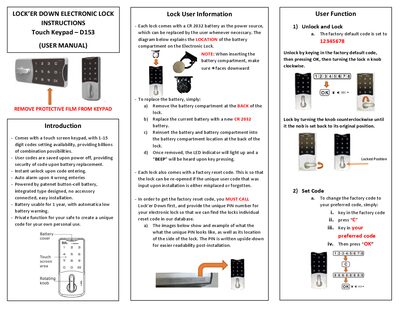
Lock'er Down D153 Electronic Lock User Manual
The D153 electronic lock uses a touch keypad with 1‑15 digit codes. The factory default code is 12345678; you can unlock by entering this code, pressing OK, and turning the knob clockwise. To change the code, enter the factory code, press “C”, input your new code, and press OK. The lock stores user codes even when power is removed and provides instant unlock and an auto alarm after four wrong entries.
Each lock includes a CR2032 battery that lasts about one year and gives a low‑battery warning. Battery replacement is done by removing the back compartment, swapping in a new CR2032 cell, and reinserting the compartment. If the user code is forgotten, a factory reset code can be obtained by calling Lock'er Down with the lock’s unique PIN.
Covers: User Function · Unlock and Lock · Set Code · Battery Replacement · Factory Reset Code · Introduction
Latest Lock'er Down manuals
Lock'er Down D153 Electronic Lock User Manual
User Manual 1 pages · 243 KB · ENThe manual explains unlocking, code setting, battery replacement, and factory reset procedures for the Lock'er Down D153 electronic lock.
Which document do I need?
User Manual
Day-to-day operation, settings and troubleshooting. Start here if the product is already set up.
Questions answered in Lock'er Down manuals
How can I change the lock's code?
Enter the factory code, press “C”, type your new code, and press OK.
How do I replace the battery?
Remove the back battery compartment, replace the CR2032 cell, and reinsert the compartment.