
Key facts
- Manuals
- 1
- Languages
- ZH
- Last added
- 2026-10-01
Featured Laney manuals
Laney MINISTACK-B-MOGU Speaker User Manual
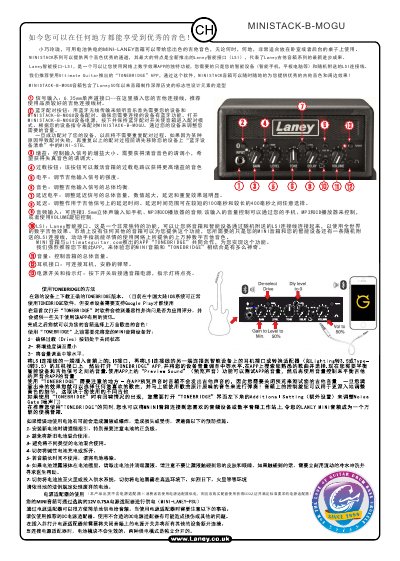
The Laney MINISTACK‑B‑MOGU is a compact, battery‑powered speaker designed for guitar players. It offers two high‑quality channels, a Laney Smart Interface (LSI) for digital effects, and Bluetooth connectivity for wireless audio playback.
The guide covers signal input (6.35 mm mono jack), Bluetooth pairing steps, gain and overload controls, tone and delay adjustments (100‑400 ms), 3.5 mm stereo audio input, headphone output, power switch and indicator, and how to use the LSI with the recommended TONEBRIDGE app. This manual is written in Chinese.
Covers: Product Overview · Bluetooth Pairing · Signal Input and Audio Connections · Gain, Overload and Level Controls · Tone and Delay Settings · Laney Smart Interface (LSI) and TONEBRIDGE App
Latest Laney manuals
Laney MINISTACK-B-MOGU Speaker User Manual
User Manual 1 pages · 862 KB · ZHThis manual explains how to set up and use the Laney MINISTACK‑B‑MOGU portable speaker, including Bluetooth pairing, LSI interface, gain, delay and audio…
Which document do I need?
User Manual
Day-to-day operation, settings and troubleshooting. Start here if the product is already set up.
Questions answered in Laney manuals
How do I pair the MINISTACK‑B‑MOGU with a Bluetooth device?
Turn on the speaker, press and hold the Bluetooth pairing button until the unit enters pairing mode, then select the speaker from your device’s Bluetooth list and follow the on‑screen instructions.
What is the Laney Smart Interface (LSI) and how is it used?
LSI is a proprietary interface that connects the speaker to a smartphone or tablet via the supplied LSI cable, allowing the TONEBRIDGE app to provide digital guitar effects.