
Key facts
- Manuals
- 3
- Languages
- ZH · EN
- Last added
- 2026-10-01
Featured J&K manuals
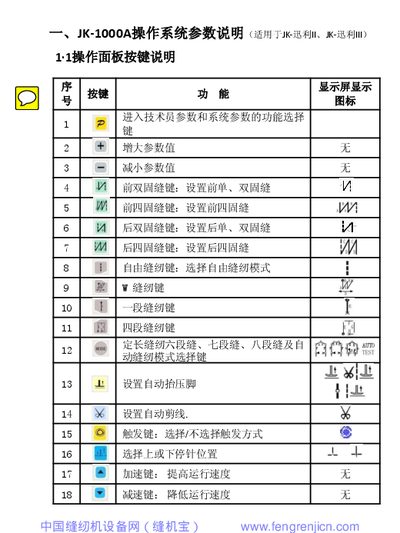
JK JK-迅利 II/III Operating System Parameter Manual
The document provides a complete description of the JK-1000A and JK-2000A operating system parameters for the JK-迅利 II and III sewing machines. It includes button functions on the operation panel, technician and system parameter tables, and the ranges and default values for each setting.
Additional sections cover real‑time monitoring parameters, a comprehensive fault‑code table with troubleshooting steps, and error‑code handling for the controller, motor, and auxiliary devices. The manual also explains how to enter technician or system modes and how to restore factory defaults. This manual is written in Chinese.
Covers: Operation Panel Button Description · Technician Parameter Settings · System Parameter Settings · Parameter Monitoring · Fault Code Table · Error Code Handling
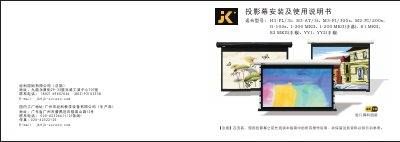
JK H3-FL/3t, H3-AT/3t, M3-FI/300s, M2-FI/200s, G-100s, I-200 MKII, S1 MKII, S2 MKII, YY1, YY2 Screen Manual
This manual covers the proper installation and safe use of JK projection screens. It includes safety warnings, required tools, and step‑by‑step procedures for wall‑mount, ceiling‑mount, and hanging installations.\n\nThe guide also explains how to operate electric and manual screens, use built‑in and external remote controls, configure RS485 settings, and perform routine maintenance and warranty procedures. Troubleshooting tips help resolve common issues such as power problems or remote‑control failures. This manual is written in Chinese.
Covers: Safety Instructions · Check List · Wall‑Mount Installation · Ceiling‑Mount Installation · Hanging Installation · Screen Operation
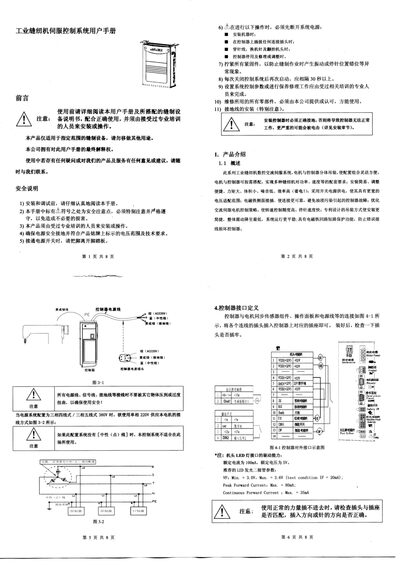
JK JK2000A Digital AC Servo System User Manual
This manual covers safety instructions, installation steps for the motor and controller, wiring and grounding requirements, and basic technical parameters of the JK2000A digital AC servo system. It also details fault handling procedures and how to configure HMI parameters.
Additional sections explain how to restore factory settings, adjust custom parameters, and use the foot‑lifter function. The document is intended for qualified technicians and installers working with sewing‑machine applications.
Covers: Safety Instructions · Installation Instructions · Basic Parameters · Controller Interface and Wiring · Power Connection and Grounding · Fault Handling and Maintenance
Latest J&K manuals
JK JK-迅利 II/III Operating System Parameter Manual
Service Manual 55 pages · 1.9 MB · ZHThis manual details the JK-迅利 II/III operating system parameters, technician and system settings, monitoring functions, and fault codes.
JK H3-FL/3t, H3-AT/3t, M3-FI/300s, M2-FI/200s, G-100s, I-200 MKII, S1 MKII, S2 MKII, YY1, YY2 Screen Manual
User Manual 10 pages · 4.7 MB · ZHThe JK screen manual provides installation, operation, safety, maintenance, and troubleshooting instructions for multiple JK projection screen models.
JK JK2000A Digital AC Servo System User Manual
User Manual 6 pages · 1.3 MB · ENThe JK JK2000A Digital AC Servo System User Manual provides installation, operation, parameter settings, and maintenance instructions.
Which document do I need?
Service Manual
Disassembly, diagnostics and part numbers, for repair.
User Manual
Day-to-day operation, settings and troubleshooting. Start here if the product is already set up.
Questions answered in J&K manuals
What is the universal technician password for JK‑1000A series?
The universal technician password is “1028”.
How do I enter technician mode?
In operator mode, hold down the first key, press the second key, and the LCD will display PD‑0000; then enter the technician password.
What grounding connection is required for the controller?
The ground wire (green/yellow) must be grounded using the correct connector and securely attached to earth.
How can the factory default parameters be restored?
Enter technician mode with the password, select parameter index 62, and press the key to restore the storage parameters to factory settings.