
Key facts
- Manuals
- 2
- Languages
- EN · ZH
- Last added
- 2026-10-03
Featured Genelec manuals
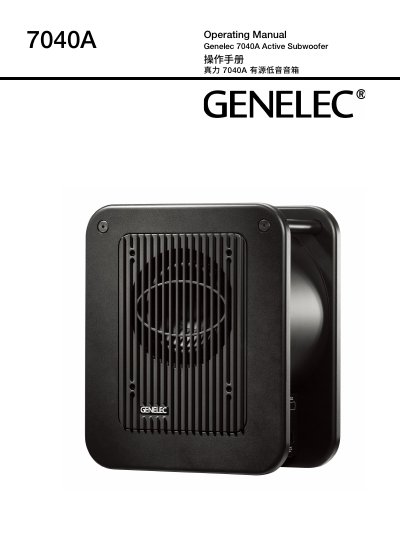
Genelec 7040A Active Subwoofer Operating Manual
This manual introduces the Genelec 7040A, a compact active subwoofer designed to extend low‑frequency response down to 30 Hz. It describes the driver, Class D amplifier, ISS standby function, and the balanced XLR audio interfaces.
Key sections cover installation steps, wiring diagrams, recommended room placement, phase and bass roll‑off adjustments, safety warnings, maintenance guidelines, and detailed technical specifications such as power output, frequency response, and dimensions.
Covers: Introduction · General Description · Driver · Amplifier · ISS Autostart · Installation

Genelec 8351A SAM Monitor Speaker Operating Manual
This operating manual provides step‑by‑step instructions for configuring the Genelec 8351A SAM monitor speaker, including connection to the GLM control network, input sensitivity adjustment, and use of the built‑in level control switches. It also covers recommended placement, acoustic tuning, and safety precautions for indoor use.
Detailed sections describe power, AES/EBU digital, analog and control‑network connections, installation guidelines, LED indicator meanings, maintenance procedures, warranty information and FCC compliance. Technical specifications such as frequency response, SPL, power output, dimensions and weight are listed for reference. This manual is written in Chinese.
Covers: Introduction · GLM Control Network Setup · Single‑Mode Operation · Connections (Power, AES/EBU, Analog, Control Network) · Installation Guidelines · Input Sensitivity and Color‑Control Switches
Latest Genelec manuals
Genelec 7040A Active Subwoofer Operating Manual
User Manual 12 pages · 1.1 MB · ENThe Genelec 7040A Operating Manual provides setup, connection, placement, safety, and technical specifications for the active subwoofer.
Genelec 8351A SAM Monitor Speaker Operating Manual
User Manual 9 pages · 1.9 MB · ZHThe manual explains setup, connections, operation, installation, safety and specifications for the Genelec 8351A SAM monitor speaker.
Which document do I need?
User Manual
Day-to-day operation, settings and troubleshooting. Start here if the product is already set up.
Questions answered in Genelec manuals
How can I adjust the input sensitivity?
Turn the level‑control knob or use switches 6, 7 to reduce the level by –10 dB, –20 dB or –30 dB; the total attenuation range is 0 dB to –42 dB.