
Key facts
- Manuals
- 1
- Languages
- ZH
- Last added
- 2026-10-01
Featured BENRO manuals
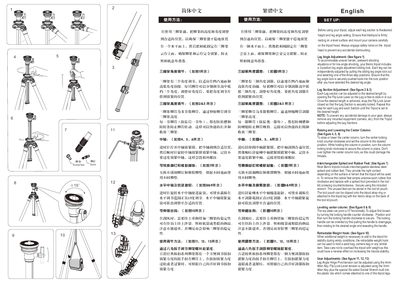
Benro Classic Plate‑Lock Tripod with Leveling Column User Manual
This manual explains how to set up the Benro classic plate‑lock tripod, adjust leg angles, extend the center column, and use the interchangeable spiked or rubber feet. It also covers the leveling column, which can be tilted up to ±15° for precise horizon alignment.
Safety guidelines include temperature limits, maximum load warnings, and cleaning procedures. The document also describes how to secure the tripod with the weight hook for windy conditions and how to adjust lock tensions using the supplied Allen keys and wrenches. This manual is written in Chinese.
Covers: Setup and Height Adjustment · Leg Angle Adjustment · Leg Section Adjustment · Center Column Adjustment · Interchangeable Feet · Leveling Column
Latest BENRO manuals
Benro Classic Plate‑Lock Tripod with Leveling Column User Manual
User Manual 2 pages · 3.5 MB · ZHThe Benro Classic Plate‑Lock Tripod with Leveling Column User Manual provides setup, adjustment, safety, and maintenance instructions.
Which document do I need?
User Manual
Day-to-day operation, settings and troubleshooting. Start here if the product is already set up.
Questions answered in BENRO manuals
How do I adjust the leg angle on the tripod?
Pull out the 3‑position leg angle adjustment sliding lock, select the desired angle, and push the lock back into place.
From: Benro Classic Plate‑Lock Tripod with Leveling Column User Manual
How is the center column locked and unlocked?
Turn the center locking knob counter‑clockwise to loosen, set the column to the desired height, then turn the knob clockwise to lock.
From: Benro Classic Plate‑Lock Tripod with Leveling Column User Manual