
Key facts
- Manuals
- 3
- Languages
- EN · ZH
- Last added
- 2026-10-03
Featured Sonoff manuals
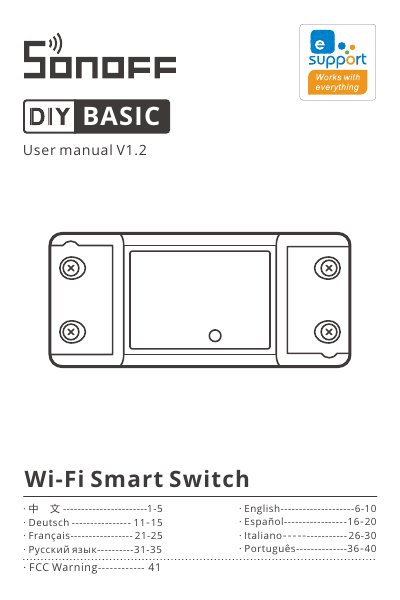
SONOFF BASICR2/RFR2 Wi‑Fi Smart Switch User Manual
This manual provides step‑by‑step instructions for installing the SONOFF BASICR2/RFR2 Wi‑Fi Smart Switch, wiring the device, and safely powering it. It explains the quick‑pairing mode, compatible pairing mode, and how to add the switch to the eWeLink app for remote control.
The guide also details LED indicator meanings, RF remote‑control features for the RFR2 version, common troubleshooting tips, FCC safety warnings, and regulatory compliance information.
Covers: Safety Warning · Installation and Wiring · Power On and Quick Pairing · Adding the Device to eWeLink · LED Indicator Status · RF Remote Control (RFR2)
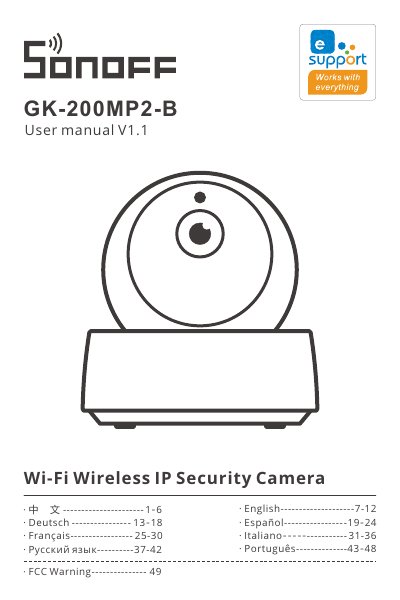
SONOFF GK-200MP2-B Wi-Fi Wireless IP Security Camera User Manual
The GK-200MP2-B is a smart cloud‑pan security camera with 1080P resolution, 340° horizontal and 120° vertical viewing angles, infrared night vision up to 15 m, and two‑way audio. It connects via Wi‑Fi (2.4 GHz) or Ethernet and supports TF cards up to 128 GB for local video storage.
This manual explains how to download the eWeLink app, power on and reset the device, add the camera using Wi‑Fi, sound‑pairing, or Ethernet, configure motion detection and alerts, and perform routine maintenance. It also includes a FAQ section that addresses common connection problems, audio issues, and video playback. This manual is written in Chinese.
Covers: Setup and Reset · Adding the Camera · Product Specifications · Installation Guidelines · Night Vision · Motion Detection and Alerts
SONOFF SNZB-02 Temperature and Humidity Sensor User Manual
The SNZB-02 is a low‑power ZigBee temperature and humidity sensor designed for real‑time environmental monitoring. It works with the SONOFF ZigBee Bridge and the eWeLink app to create smart scenes and trigger other devices.
This manual covers how to install the sensor, pair it with a ZigBee gateway, use the eWeLink app, and details the technical specifications, FCC and EU compliance statements, and troubleshooting steps. This manual is written in Chinese.
Covers: 使用说明 · 产品参数 · 产品介绍 · 设备安装 · FCC Radiation Exposure Statement · EU Declaration of Conformity
Latest Sonoff manuals
SONOFF BASICR2/RFR2 Wi‑Fi Smart Switch User Manual
User Manual 43 pages · 1.2 MB · ENUser manual for the SONOFF BASICR2/RFR2 Wi‑Fi Smart Switch with installation, pairing, and troubleshooting instructions.
SONOFF GK-200MP2-B Wi-Fi Wireless IP Security Camera User Manual
User Manual 51 pages · 5.8 MB · ZHThe SONOFF GK-200MP2-B Wi‑Fi wireless IP security camera user manual provides setup, connection, features, maintenance, and troubleshooting instructions.
SONOFF SNZB-02 Temperature and Humidity Sensor User Manual
User Manual 43 pages · 2.2 MB · ZHThe SONOFF SNZB-02 temperature and humidity sensor user manual provides setup, installation, operation, and specifications for the ZigBee device.
Which document do I need?
User Manual
Day-to-day operation, settings and troubleshooting. Start here if the product is already set up.
Questions answered in Sonoff manuals
Why does the device show “offline” after it has been added?
After adding, the device needs 1–2 minutes to connect to the router and the internet; if it stays offline, check the Wi‑Fi LED status and retry pairing.
What does a green LED flashing twice per second indicate?
It means the switch is connected to Wi‑Fi but cannot reach the server (no internet connection).
Can I view recorded video on a computer?
Yes. Power off the camera, remove the TF card, insert it into a computer, and play the video files.
From: SONOFF GK-200MP2-B Wi-Fi Wireless IP Security Camera User Manual
How do I pair the SNZB-02 sensor with the eWeLink app?
Long‑press the reset button for 5 seconds until the LED flashes three times, then add the device in the eWeLink app while it is in pairing mode.
From: SONOFF SNZB-02 Temperature and Humidity Sensor User Manual
Can the sensor be installed on metal surfaces?
No, installing the sensor on metal surfaces can affect wireless communication distance, so it should be placed on non‑metallic surfaces.
From: SONOFF SNZB-02 Temperature and Humidity Sensor User Manual