
Key facts
- Brand
- WCH
- Model
- CH375
- Category
- Other Electronics
- Industry
- Electronics
- Documents
- 4
- Languages
- ZH
- Last added
- 2011-11-13
Start here
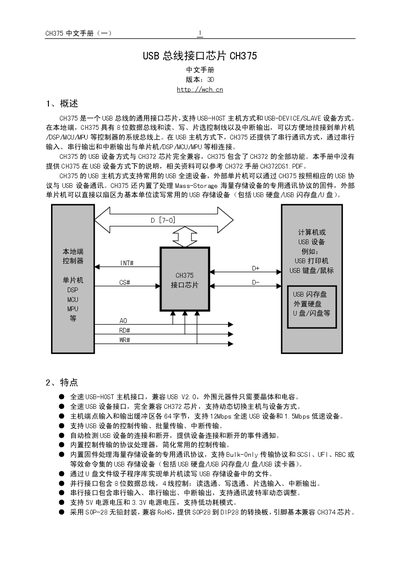
WCH CH375 USB Interface Chip User Manual
The CH375 is a USB bus interface chip that can operate in both USB‑HOST and USB‑DEVICE (SLAVE) modes. It provides an 8‑bit parallel data bus and a serial interface, allowing easy connection to microcontrollers, DSPs or other controllers. The chip supports full‑speed USB devices, mass‑storage protocols and dynamic switching between host and device modes.
The manual describes the pin definitions, command set, hardware connections, and provides programming examples for common operations such as reading/writing USB storage, setting baud rate, and entering low‑power sleep mode. This manual is written in Chinese.
WCH CH375 specifications
| USB host speed | Full‑speed (12 Mbps) and Low‑speed (1.5 Mbps) |
|---|---|
| USB device compatibility | Fully compatible with CH372 chip |
| Supported voltages | 5 V and 3.3 V |
| Package | SOP‑28, RoHS compliant |
| Maximum storage capacity | Up to 2000 GB per USB storage device |
All WCH CH375 documents by type
Day-to-day operation, settings and troubleshooting. Start here if the product is already set up.
Instruction set, parameters and examples for configuring or programming the device.
Questions answered in these manuals
What command puts CH375 into low‑power sleep mode?
The ENTER_SLEEP command puts the chip into a low‑power suspend state.
How can the CH375 be connected to a microcontroller in parallel mode?
Connect the 8‑bit data bus (D0‑D7), RD#, WR#, CS#, INT# and address line A0 to the microcontroller’s bus; RD# and WR# are active‑low control signals.
What supply voltages does the CH375 support?
The chip works with either a 5 V or a 3.3 V power supply.
How large are the USB host endpoint buffers?
Each host endpoint input and output buffer is 64 bytes.
What voltage levels does the CH375 support?
The CH375A version works with a 5 V supply, while the CH375B version operates from 3.3 V to 5 V.
How can the UART baud rate be changed?
Use the SET_BAUDRATE command with the appropriate divisor and constant values to set a new baud rate.