
Key facts
- Brand
- Turbolinux
- Model
- Enterprise Server 8
- Industry
- Software
- Documents
- 3
- Languages
- ZH
- Last added
- 2000-01-01
Start here
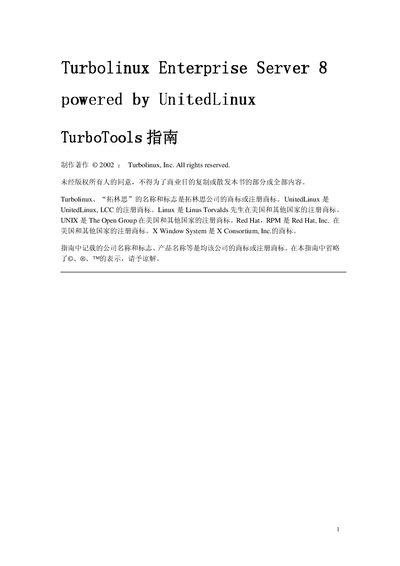
Turbolinux Enterprise Server 8 TurboTools Service Manual
The TurboTools Service Manual describes the TurboTools suite that ships with Turbolinux Enterprise Server 8. It explains how to start the tools in GUI or console mode, the required root privileges, and the available configuration utilities such as serviceboard, turbotimecfg, turbolangsel, turbopkg, and turbonetcfg.
Chapters cover service configuration, timezone and language settings, package management, network configuration, window manager configuration, and X Window System setup. Each chapter provides step‑by‑step instructions, screenshots, and command‑line examples for both graphical and terminal‑based operation. This manual is written in Chinese.
Turbolinux Enterprise Server 8 specifications
| Maximum CPU support | 32 CPUs |
|---|---|
| PCI Hot‑plug support | Supported |
| ACPI standard support | Latest ACPI |
| Memory Expansion Technology | Supported (MXT) |
| IBM x440 server support | Supported |
| SCSI disk capacity | Large‑capacity SCSI disks supported |
All Turbolinux Enterprise Server 8 documents by type
Disassembly, diagnostics and part numbers, for repair.
Mounting, wiring and first power-up. Read it before the hardware goes in.
Questions answered in these manuals
How do I start TurboTools?
TurboTools can be started from the Turbolinux menu or by executing the command in a console as the root user.
From: Turbolinux Enterprise Server 8 TurboTools Service Manual
How can I set the system timezone?
Select the desired region (e.g., Asia/Shanghai) from the drop‑down list, then click the Save button to apply the timezone.
From: Turbolinux Enterprise Server 8 TurboTools Service Manual
How many CPUs can Turbolinux Enterprise Server 8 support?
It supports up to 32 CPUs.
Which bootloader does Turbolinux Enterprise Server 8 use?
It uses GRUB (GRand Unified Bootloader) as the default bootloader.
Can I use LVM or RAID during installation?
Yes, the installer supports LVM (Logical Volume Manager) and evms for RAID configuration.