
Key facts
- Brand
- Kolin
- Model
- KVD-1080
- Category
- Other
- Industry
- Electronics
- Documents
- 2
- Languages
- ZH
- Last added
- 2012-03-22
Start here
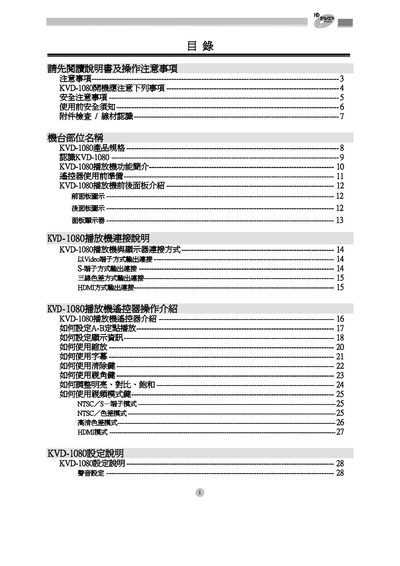
Kolin KVD-1080 DVD Player User Manual
This manual covers safety precautions, required accessories, and detailed descriptions of the KVD-1080's front and rear panels. It explains how to connect video and audio outputs such as AV, S‑Video, three‑wire component, and HDMI, and provides step‑by‑step instructions for basic operation, playback settings, and troubleshooting.
Additional sections describe power requirements, supported disc and file formats, and how to adjust picture and sound settings. The document also includes a quick reference for using the remote control and performing firmware updates. This manual is written in Chinese.
Kolin KVD-1080 specifications
| Power Supply Voltage | 100‑240 VAC, 50‑60 Hz |
|---|---|
| Power Consumption | 45 W |
| Supported Disc Types | FVD, DVD, DVD‑R, DVD‑RW, DVD+R, DVD+RW, DVD‑ROM, CD‑R, CD‑RW, CD‑ROM |
| Supported Video Formats | MPEG‑1, MPEG‑2, DivX (3.11‑5.2), WMV9 |
| Supported Audio Formats | MP3, WMA (excluding WMA Pro) |
| Maximum Video Resolution | 2048 × 1532 |
| Video Output Interfaces | AV, S‑Video, three‑wire component, HDMI |
| Audio Output | 2‑channel stereo or 5.1 surround |
All Kolin KVD-1080 documents by type
Day-to-day operation, settings and troubleshooting. Start here if the product is already set up.
Questions answered in these manuals
What voltage range can the KVD-1080 accept?
The player can be powered from 100 V to 240 V AC at 50‑60 Hz.
Which disc formats are supported by the KVD-1080?
It supports FVD, DVD, DVD‑R, DVD‑RW, DVD+R, DVD+RW, DVD‑ROM, CD‑R, CD‑RW and CD‑ROM.
What should I do if the device emits a burning smell?
Immediately unplug the power and contact the manufacturer’s service personnel.
How do I reset the player after a power loss?
Turn off the power for at least 10 seconds, then turn it on again.