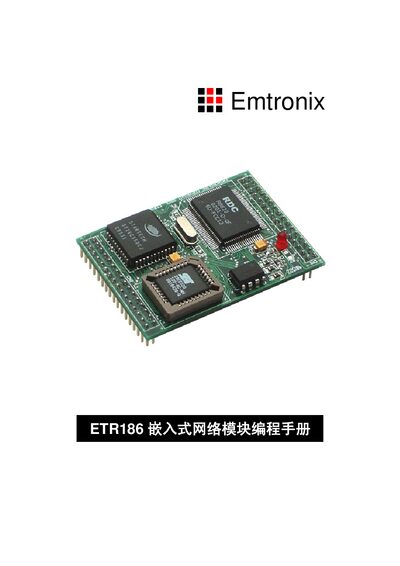
The Emtronix ETR186 Programming Manual provides C language basics, hardware driver details, PPP/TCP‑IP library, UART and LCD examples for the embedded…
About this manual
The ETR186 is a card‑size embedded PC module featuring an R8822D microprocessor, Flash, UART, GPIO, a reduced ISA bus, RTC, LCD and keypad interfaces. It targets low‑cost, high‑performance applications such as GPRS data communication, industrial automation and remote monitoring.
This manual covers C language introduction, hardware interface driver functions, PPP and TCP/IP protocol libraries, serial port drivers, LCD Chinese‑character display routines, as well as development tools, debugging utilities and appendices for IDE configuration and software development flow. This manual is written in Chinese.
What's inside
- C Language Introduction
- Hardware Interface Driver Programs
- PPP and TCP/IP Protocol Library and Applications
- Serial Port Driver Programs
- LCD Chinese‑Character Display Programs
- Appendix: BC31 IDE Basic Configuration
- Appendix: Application Software Development Process
- Appendix: TDRF and TD Debugging Tools
Specifications
| Dimensions | 64 mm × 46 mm |
|---|
| Processor | R8822D microprocessor |
|---|
| On‑board resources | Flash, UART, GPIO, reduced ISA bus, RTC, LCD interface, matrix keypad |
|---|
| GPIO pins | 10 digital I/O pins (D0‑D9) |
|---|
| Timer1 input clock | 1 MHz |
|---|
| Watchdog interval | ≈ 2 seconds |
|---|
Frequently asked questions
How do I compile and run a simple Hello program on the ETR186?
Save the source, press F2 to store the file, then press F9 to compile and link, producing an executable that can be downloaded and run on the module.
How is the Watchdog timer used?
Call SetWDT() to start the Watchdog with an interval of about 2 seconds and periodically call ReloadWDT() to prevent a system reset.
How do I download a program to the ETR186 from the PC?
Use the TD command (e.g., td –rp hello) which automatically transfers the compiled program to the module via the RS‑232 debug port.