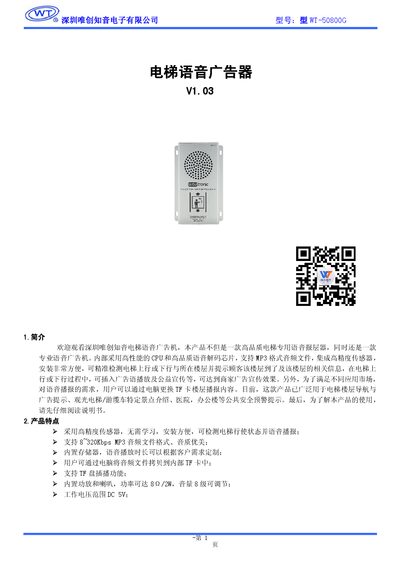
The user manual for the Weichuang Zhiyin WT-50800G elevator voice advertising device explains features, specifications, installation, and operation.
About this manual
The WT-50800G is an elevator‑dedicated voice advertising unit that announces floor arrivals, plays advertisements, and provides safety prompts. It supports MP3 files, includes a high‑precision sensor, a built‑in amplifier and speaker, and can be powered from a DC5 V supply.
The manual covers product features, performance parameters, button functions, how to replace floor voice files via a TF card, installation steps, accessories, and safety precautions. It also includes a brief FAQ for common tasks such as volume adjustment and device reset. This manual is written in Chinese.
What's inside
- Introduction
- Product Features
- Performance Parameters
- Function Panel
- Button Functions
- Replacing Floor Voice Files
- Product Accessories
- Installation Method and Precautions
- Disclaimer
Specifications
| Rated working voltage | DC5V |
|---|
| Input power | AC110‑220V / 50‑60 Hz |
|---|
| Output current | DC5V 2A |
|---|
| Maximum power consumption | ≤5 W |
|---|
| Maximum sound level | ≤90 dB |
|---|
| Detection response speed | ≤1 second |
|---|
| Operating temperature range | -20 °C to 60 °C |
|---|
| Operating humidity range | 20 % to 80 % |
|---|
Frequently asked questions
How can I replace a floor’s voice announcement file?
Rename the new MP3 file to include the floor number (e.g., 0071TheFirstFloor.mp3), delete the old file from the device’s voice folder, copy the new file onto the TF card, then use the USB connection to transfer it to the device’s flash memory.
What power supply does the device require?
The unit is powered by a DC5 V supply (2 A) and can be connected to an AC adapter that accepts 110‑220 V, 50‑60 Hz input.