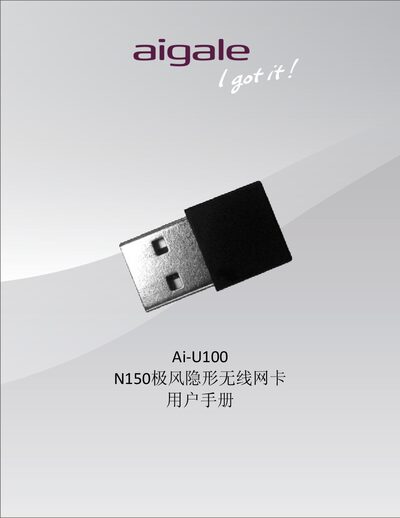
The Ai U100 N150 wireless network card user manual provides product overview, installation steps, Wi‑Fi setup, Ai‑Sharing configuration, and troubleshooting.
About this manual
The Ai U100 N150 (also called N150极风隐形无线网卡) is a USB 2.0 wireless network adapter that complies with IEEE 802.11 b/g/n standards and offers up to 150 Mbps data rate with low power consumption. It includes a built‑in PIFA antenna, supports 128‑bit WEP and WPA/WPA2 encryption, and works with Windows XP, Vista and 7.
The manual covers hardware and software installation, how to establish a Wi‑Fi connection using Windows Zero Configuration Service, and how to use the Ai‑Sharing tool to set up an access‑point mode on Windows 7. A troubleshooting section answers common issues such as Ai‑Sharing failures and missing wireless networks. This manual is written in Chinese.
What's inside
- Product Introduction
- Product Features
- Product Specifications
- Installation
- Hardware Installation
- Software Installation
- Establish Wi‑Fi Connection
- Using Ai‑Sharing Tool
- Troubleshooting
Specifications
| WLAN Standard | 802.11 b/g/n |
|---|
| Antenna | PIFA |
|---|
| Operating Voltage | 5 V ±5 % |
|---|
| Frequency Range | 2.4 GHz ISM band (2.412‑2.472 GHz, 2.484 GHz) |
|---|
| Maximum Data Rate | 150 Mbps (download only) |
|---|
| Encryption Support | 128‑bit WEP, WPA/WPA2 |
|---|
| Output Power (HT20) | 12 dBm ±1.5 dBm |
|---|
Frequently asked questions
Why can't I find any wireless networks in Windows Zero Configuration Service?
Check that the Ai‑U100 is plugged into a USB port and that its device driver has been installed successfully.