
Key facts
- Manuals
- 3
- Languages
- ZH
- Last added
- 2012-04-05
Featured Shenzhen市泰达鑫通信 manuals
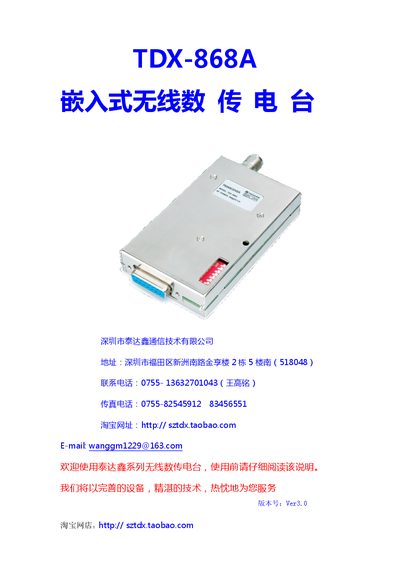
TaidaXin TDX-868A Embedded Wireless Data Transmission Radio User Manual
The TDX-868A is an embedded wireless data transmission radio designed for point‑to‑point and point‑to‑multipoint communication in industrial automation, power dispatch, water‑level monitoring and many other fields. It supports both voice and data with transparent signal transmission and offers selectable frequency bands of 150, 230, 350 and 450 MHz.
The manual covers technical specifications, hardware installation, interface definitions, dip‑switch frequency setting, power‑supply requirements, antenna and feed‑line installation, grounding and lightning protection, as well as PTT control timing and ordering information. This manual is written in Chinese.
Covers: Product Overview · Technical Specifications · Hardware Installation · Interface Definition · Pin Description · Frequency Setting
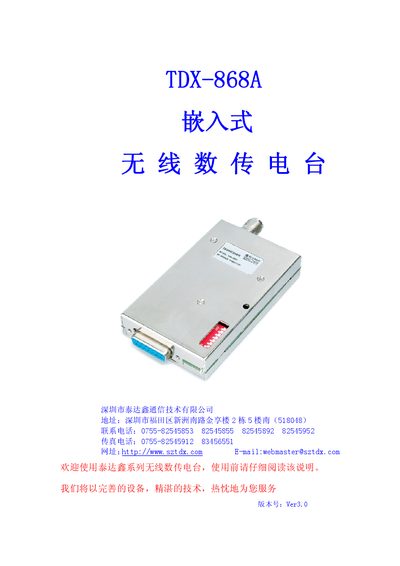
Taida Xin TDX-868A Embedded Wireless Data Transmission Radio User Manual
The TDX-868A is an embedded wireless data transmission radio designed for industrial automation, power dispatch, water‑level monitoring, and other remote data acquisition applications. It supports both voice and data transparent transmission across four frequency bands (150/230/350/450 MHz) with selectable data rates of 1200/2400/4800 bps.
The manual covers product features, technical specifications, hardware installation, frequency setting via dip‑switch or software, power supply requirements, antenna and grounding guidelines, interface definitions (TTL, RS‑232, RS‑485), operation procedures, PTT timing, troubleshooting, and ordering information. This manual is written in Chinese.
Covers: Product Features · Operating Principle · Technical Specifications · Physical Dimensions · Interface Definition · Installation Guidelines
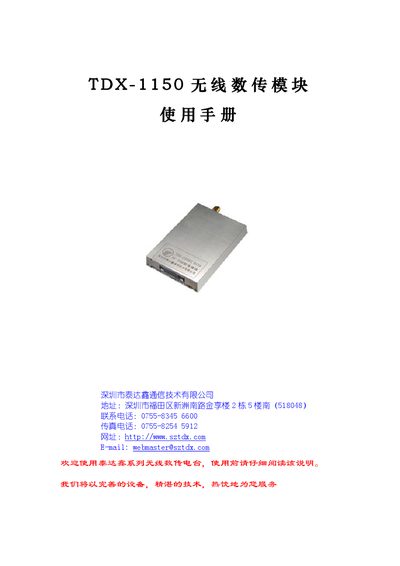
TDX TDX-1150 Wireless Data Transmission Module User Manual
The TDX-1150 is a wireless data transmission module designed for applications such as wireless meter reading, industrial remote control, telemetry, and building automation. It offers 500 mW transmit power, GFSK modulation at 433 MHz, and selectable interfaces (RS‑232, RS‑485, UART/TTL) with programmable channels.
The manual explains how to power the module, connect the appropriate interface, configure parameters using the provided TDX parameter‑setting software, and operate the device in point‑to‑point or point‑to‑multipoint networks. Technical specifications, data‑transfer timing, and after‑sales support information are also included. This manual is written in Chinese.
Covers: Features · Applications · Usage Method · Function Settings · Module Configuration · Data Transmission Considerations
Latest Shenzhen市泰达鑫通信 manuals
TaidaXin TDX-868A Embedded Wireless Data Transmission Radio User Manual
User Manual 12 pages · 542 KB · ZHThe TaidaXin TDX-868A user manual provides specifications, installation, configuration, and operation instructions for the embedded wireless data…
Taida Xin TDX-868A Embedded Wireless Data Transmission Radio User Manual
User Manual 12 pages · 913 KB · ZHThe Taida Xin TDX-868A embedded wireless data transmission radio user manual provides specifications, installation, operation, and maintenance instructions.
TDX TDX-1150 Wireless Data Transmission Module User Manual
User Manual 8 pages · 269 KB · ZHThe TDX-1150 wireless data transmission module manual provides specifications, interface options, setup procedures, and usage guidelines.
Which document do I need?
User Manual
Day-to-day operation, settings and troubleshooting. Start here if the product is already set up.
Questions answered in Shenzhen市泰达鑫通信 manuals
How can the operating frequency be set?
The frequency can be set manually with the dip‑switch or by using the company’s PC software to write the frequency parameters.
From: TaidaXin TDX-868A Embedded Wireless Data Transmission Radio User Manual
What power supply is required for 5 W transmission?
A 12 V DC power supply capable of delivering at least 2 A is required for 5 W output.
From: TaidaXin TDX-868A Embedded Wireless Data Transmission Radio User Manual
How can I set the operating frequency of the TDX-868A?
The frequency can be set either by using the dip‑switch on the unit, which allows 256 selectable points with 25 kHz spacing, or by using the provided PC software to program the frequency.
From: Taida Xin TDX-868A Embedded Wireless Data Transmission Radio User Manual
Which communication interfaces does the TDX-868A provide?
It offers three standard interface levels—TTL, RS‑232, and RS‑485—through a DB15 female connector, allowing direct connection to microcontrollers or other equipment.
From: Taida Xin TDX-868A Embedded Wireless Data Transmission Radio User Manual
How can I configure the TDX-1150 parameters?
Parameters are set using the TDX parameter‑setting software via an RS‑232 connection; the software allows changes to channel frequency, baud rate, data format, and other settings.
From: TDX TDX-1150 Wireless Data Transmission Module User Manual
What is the maximum reliable transmission distance at 9600 bps?
In open line‑of‑sight conditions with the antenna mounted above 2 m, the module can reliably transmit over 1500 m at 9600 bps.
From: TDX TDX-1150 Wireless Data Transmission Module User Manual