
Key facts
- Manuals
- 4
- Languages
- ZH
- Last added
- 2012-03-15
Featured 数字控制器 manuals
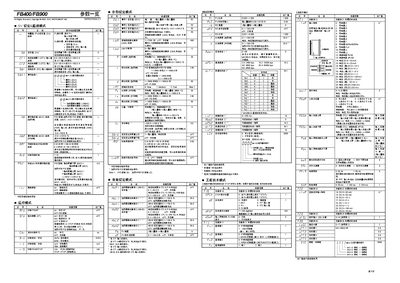
RKC Instrument FB400/FB900 User Manual
This manual describes the FB400/FB900 digital controller, covering its parameter overview, setting modes, and engineering functions. It is intended for users who need to configure, monitor, and operate the controller in industrial applications.
Key sections include parameter tables, event monitoring, communication settings, PID control, alarm configuration, and detailed function‑block parameters. The document also explains how to use engineering mode for advanced adjustments. This manual is written in Chinese.
Covers: Parameter Overview · Parameter Setting Mode · Engineering Mode · Event Monitoring · Communication Settings · PID Control
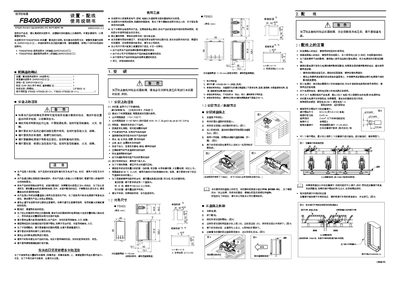
RKC FB400/FB900 User Manual
This manual provides safety precautions, installation steps and wiring instructions for the RKC FB400/FB900 digital controller. It explains required environmental conditions, recommended power‑supply protection and proper handling of terminals and mounting hardware.
The document also lists accessory parts, label information and basic parameter tables, and includes notes on electrical connections such as RS‑232, RS‑485, MODBUS‑RTU and power specifications. Users are advised to follow the detailed installation diagrams and torque specifications to ensure reliable operation. This manual is written in Chinese.
Covers: Safety Precautions · Installation Guidelines · Wiring Instructions · Environmental Limits · Power Supply Requirements · Terminal and Screw Specifications
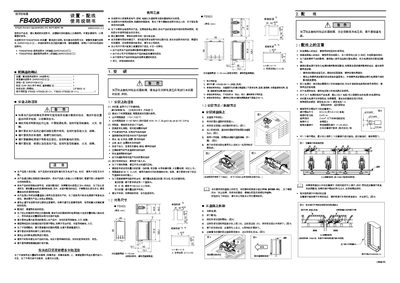
RKC FB400/FB900 User Manual
This manual explains the safety precautions and environmental limits for the FB400/FB900 digital controllers, including temperature, humidity, and protection against fire, electric shock, and corrosive gases. It also details the required installation procedures, such as mounting, wiring, and the use of appropriate surge‑suppression and grounding techniques.
The document lists the electrical characteristics of the controllers, including rated voltage, current, fuse recommendations, and communication interfaces (RS‑232, RS‑485, MODBUS‑RTU). It also provides wiring guidelines, connector types, and recommended terminal torque values for reliable operation. This manual is written in Chinese.
Covers: Safety Precautions · Installation Method · Wiring Guidelines · Environmental Limits · Electrical Ratings · Fuse Recommendations

Morningstar TS-M TS-RM Installation Manual
This manual provides installation, safety and configuration information for the Morningstar TriStar digital controllers TS‑M and TS‑RM. It includes model identification, wiring diagrams, RJ‑11 connection details, and troubleshooting guidance.
The guide also covers local system settings, fault and warning indicators, and specifications such as supported voltage ranges and temperature display limits. It is intended for installers and service technicians working with these controllers. This manual is written in Chinese.
Covers: Safety Information · Controller Models · Installation Overview · TS-M Installation · TS-RM Installation · Local System Settings
Latest 数字控制器 manuals
RKC Instrument FB400/FB900 User Manual
User Manual 2 pages · 547 KB · ZHThe RKC Instrument FB400/FB900 User Manual provides parameter tables, configuration modes, and operation instructions for the digital controller.
RKC FB400/FB900 User Manual
User Manual 2 pages · 439 KB · ZHInstallation, wiring and safety guide for the RKC FB400/FB900 digital controller.
RKC FB400/FB900 User Manual
User Manual 2 pages · 439 KB · ZHThe RKC FB400/FB900 manual provides safety guidelines, installation steps, wiring instructions, and technical specifications for the digital controllers.
Morningstar TS-M TS-RM Installation Manual
Installation Guide 29 pages · 292 KB · ZHMorningstar TS-M and TS-RM digital controller installation guide with safety, wiring and configuration instructions.
Which document do I need?
User Manual
Day-to-day operation, settings and troubleshooting. Start here if the product is already set up.
Installation Guide
Mounting, wiring and first power-up. Read it before the hardware goes in.
Questions answered in 数字控制器 manuals
What communication baud rates are supported?
The controller supports 4800 bps, 38400 bps, and 9600 bps communication speeds.
What humidity range is allowed for the controller?
It can be used in environments with 5 %RH to 95 %RH humidity.
What fuse should be used for the power supply?
A fuse rated for 250 V and 1 A is recommended.
What fuse rating should be used with the FB400/FB900?
A fuse rated for 250 V and 1 A is recommended.
What are the recommended terminal torque values?
The recommended tightening torque is 0.4 N·m.
How is the external display connected to the controller?
The external display connects via an RJ‑11 interface and can be linked up to 30 meters from the controller.