
Key facts
- Manuals
- 1
- Languages
- ZH
- Last added
- 2012-02-10
Featured 中文简易说明书(简易中国语版) manuals
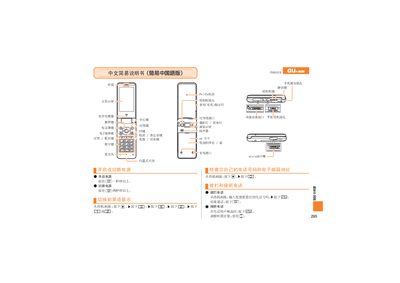
Chinese Easy Manual User Manual
The manual describes the main display, keypad layout, and indicator lights of the device. It explains how to power the device on and off, use the camera, and manage audio functions such as speaker and microphone.
Instructions cover making and receiving calls, saving contacts, using mute mode, recording voice memos, and accessing customer service information. The guide provides step‑by‑step actions for each function, using simple Chinese text and icons. This manual is written in Chinese.
Covers: Main Display and Indicators · Power On/Off · Making and Receiving Calls · Saving Contacts · Camera and Video Recording · Snapshot Capture
Latest 中文简易说明书(简易中国语版) manuals
Chinese Easy Manual User Manual
User Manual 2 pages · 551 KB · ZHA simplified Chinese user manual providing basic operation instructions for the device.
Which document do I need?
User Manual
Day-to-day operation, settings and troubleshooting. Start here if the product is already set up.
Questions answered in 中文简易说明书(简易中国语版) manuals
How do I turn the device on?
Press and hold the power button for more than one second.
How do I make a call?
From the standby screen, press the call button and enter the phone number you wish to dial.