
Key facts
- Manuals
- 5
- Languages
- EN · ZH
- Last added
- 2012-02-14
Featured Wintec manuals
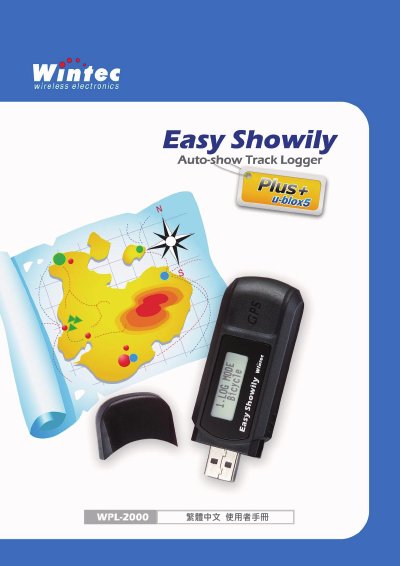
Wintec WPL-2000 Auto-show Track Logger User Manual
The WPL-2000 is an Auto‑show Track Logger that records GPS data, displays speed and direction on an LCD, and can be connected to a computer via USB. It uses a u‑blox 7 GPS module and a 150° fixed field of view to capture location information.
The device is powered by a single AAA battery, includes a USB interface for data transfer, and is operated through the Win_Tool utility software. The manual covers hardware description, power requirements, USB connection, and basic operation steps.
Covers: Device Overview · Specifications · Power Supply · GPS Module · LCD Display · USB Interface
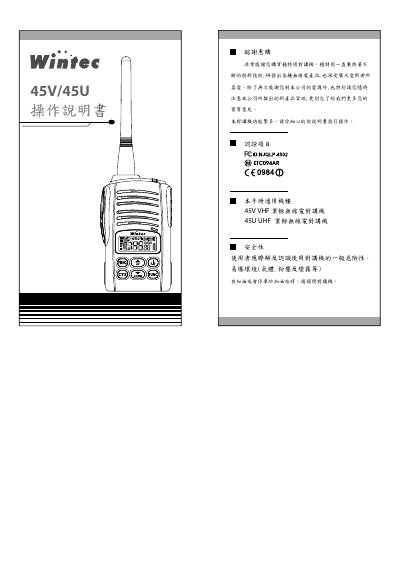
Wintec 45V/45U Two-Way Radio User Manual
This manual provides step‑by‑step guidance for using the Wintec 45V/45U two‑way radio. It introduces the device’s features, explains each button and LCD indicator, and describes how to operate VFO, MEM and SOS modes, adjust volume, enable VOX, and configure CTCSS tones.
Additional sections cover battery low‑voltage warnings, factory‑reset procedures, optional accessories, charging instructions, and safety precautions. A full specification table and accessory list are included for reference. This manual is written in Chinese.
Covers: Features · Part Names · LCD Display Explanation · Button Functions and Operation · Battery Low‑Voltage Warning / Factory Reset / Transmission Line Editing · Battery Removal and Installation
Wintec WIN6000 Electronic Receivables Machine User Manual
This manual covers the complete setup of the WIN6000 electronic receivables machine, including unpacking, checking components, and installing the system hardware and software. It details the standard configuration and optional accessories such as keyboards, cash drawers, printers, and display units.
The document also explains system testing procedures, BIOS configuration, keyboard programming with KB80.exe, cash‑drawer control commands, and provides a fault‑analysis guide for common hardware and software issues. This manual is written in Chinese.
Covers: Installation Guide · System Test · Keyboard Programming Reference · Software System Installation · BIOS Usage · Fault Analysis
Wintec MINI46 Walkie-Talkie Operation Manual
This manual covers all aspects of using the Wintec MINI46 walkie‑talkie, including important safety precautions, product features, technical specifications, exterior description, and a list of supplied accessories. It guides users through battery installation, device assembly, and basic operation procedures.
Additional sections explain the menu items, menu navigation, and optional functions such as scrambler, compandor, automatic power‑off, and transmission limits, helping users customize the device to their needs. This manual is written in Chinese.
Covers: 注意事項 · 特色 · 規格表 · 外觀介紹 · 產品附件 · 組裝說明
Latest Wintec manuals
Wintec WPL-2000 Auto-show Track Logger User Manual
User Manual 47 pages · 4.9 MB · ENThe Wintec WPL-2000 manual provides setup, operation, and specifications for the Auto‑show Track Logger GPS device.
Wintec 45V/45U Two-Way Radio User Manual
User Manual 13 pages · 1.6 MB · ZHOperating instructions for the Wintec 45V/45U VHF/UHF two‑way radio, covering features, controls, battery handling and specifications.
wintec KB51 Can programming Keyboard user manual
Wintec WIN6000 Electronic Receivables Machine User Manual
User Manual 15 pages · 497 KB · ZHThe WIN6000 POS manual provides installation steps, system testing, keyboard programming, software setup, BIOS usage, and troubleshooting for Wintec's…
Wintec MINI46 Walkie-Talkie Operation Manual
User Manual 24 pages · 3.9 MB · ZHThe Wintec MINI46 walkie‑talkie operation manual provides safety notes, specifications, assembly steps, basic operation, menu functions and accessory details.
Which document do I need?
User Manual
Day-to-day operation, settings and troubleshooting. Start here if the product is already set up.
Questions answered in Wintec manuals
How can the WPL-2000 be connected to a computer?
The device connects to a computer via a USB cable.
What is the field of view of the WPL-2000's sensor?
The sensor has a fixed 150° field of view.
Which operating systems are supported by the WIN6000?
The WIN6000 supports DOS and Windows XP/2000/ME/98/95/NT.
From: Wintec WIN6000 Electronic Receivables Machine User Manual
What are the environmental requirements for operating the WIN6000?
It requires AC 200‑240 V 50 Hz power, operates between 5 °C and 40 °C, and humidity between 40 % and 90 %.
From: Wintec WIN6000 Electronic Receivables Machine User Manual
How do I install the battery in the MINI46?
Insert the battery into the unit and press until you hear a click, as shown in the assembly instructions.
What safety precautions are required when using the MINI46 near flammable sources?
Turn off the walkie‑talkie when in flammable or hazardous environments, such as at gas stations or while refueling.