
Key facts
- Manuals
- 1
- Languages
- ZH
- Last added
- 2012-01-12
Featured RI-350 manuals
RI-350 Card Reader Operating Manual
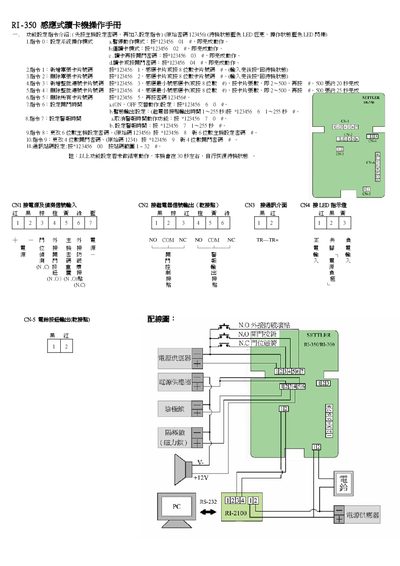
This manual describes the command‑based configuration of the RI-350 sensor card reader. It lists the system operation modes, password settings, alarm timers, and other functional parameters that are entered via specific command strings.
The document also shows the wiring connections for power, signal inputs, LED indicators, and the RS‑232 serial interface, along with the meaning of the LED status lights and power requirements. This manual is written in Chinese.
Covers: System Operation Commands · Password and Security Settings · Alarm and Timer Configuration · Wiring Connections · LED Indicator Status · Power Supply Requirements
Latest RI-350 manuals
RI-350 Card Reader Operating Manual
User Manual 1 pages · 184 KB · ZHThe RI-350 operating manual provides setup commands, configuration steps, and wiring details for the sensor‑based card reader.
Which document do I need?
User Manual
Day-to-day operation, settings and troubleshooting. Start here if the product is already set up.
Questions answered in RI-350 manuals
How do I set the system operation mode?
Enter command 0 with the code *123456 01 #> to set the desired operation mode.
How can I change the master password?
Use command 8 with the new 6‑digit password, e.g., *123436 8 NEWPWD, to update the master password.