
Key facts
- Manuals
- 8
- Models
- 1
- Languages
- ZH
- Last added
- 2012-03-12
QNAP models by category
Featured QNAP manuals
QNAP VioGate-320 Network Digital Surveillance Card User Manual
The VioGate‑320 is a digital, networked and modular surveillance device that supports up to four cameras, PTZ control, MPEG‑4 hardware compression, and local storage on an internal hard drive. It can operate independently or be integrated with VioGate Master for a complete monitoring system.
The manual covers system requirements, box contents, hardware layout, installation steps, software installation, web‑based configuration, camera and recording settings, alarm I/O connections, and various appendices such as PTZ protocol support and dynamic DNS configuration. This manual is written in Chinese.
Covers: Product Introduction · System Features · System Requirements · Box Contents · Hardware Overview · Installation Procedure
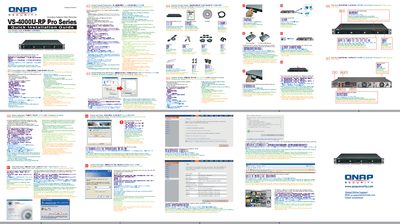
QNAP VS-4000U-RP Pro Series Quick Installation Guide
The guide begins with a pre‑installation checklist, confirming that network cables, configured IP cameras, a PC for configuration, and up to four hard disks are ready. It also lists the minimum PC specifications such as a dual‑core CPU, 1 GB memory, and a 10/100 Mbps Ethernet port.
Next, the hardware is installed, the network cable and power are connected, and the QNAP Finder utility is run from the supplied CD to discover the VioStor on the network. After logging in with the default credentials (admin / admin), the guide walks the user through installing the required ActiveX component, configuring network settings, and verifying the system via the web interface. This manual is written in Chinese.
Covers: Pre‑installation Checklist · Hardware Installation · Network Connection · QNAP Finder Installation · ActiveX Component Installation · Login Credentials
QNAP TS-411U Turbo Server User Manual
This manual introduces the QNAP TS-411U Turbo Server, a network‑attached storage device with hot‑swappable SATA drives, dual Gigabit Ethernet ports, and RAID support. It guides users through unpacking, hardware installation, and initial network connection.
Subsequent chapters cover LCD panel operation, the Quick Install Wizard, file‑server functions (FTP, backup), system management via the web interface, network disk configuration, and detailed maintenance procedures such as hard‑drive replacement and RAID rebuilding. This manual is written in Chinese.
Covers: Product Overview · Installation · LCD Panel Operation · Quick Install Wizard · File Server Functions · System Management
VioGate VioCard-300 User Manual
This manual introduces the VioGate VioCard-300, a modular video capture card with networked functionality. It covers product overview, hardware features, and the supported interfaces such as Gigabit Ethernet, RS‑232/RS‑422/485, and PCI.
The guide details network configuration (DHCP or static IP), software installation, monitoring, recording, and playback functions. It also includes specifications for power supplies, relay contacts, and pin definitions, as well as troubleshooting and management tools. This manual is written in Chinese.
Covers: Product Overview · Features · Hardware Specifications · Network Configuration · Software Setup · Monitoring and Recording
Latest QNAP manuals
QNAP VioGate-320 Network Digital Surveillance Card User Manual
User Manual 68 pages · 1.8 MB · ZHThe QNAP VioGate-320 manual provides setup, operation, and technical specifications for the network digital surveillance card.
QNAP VS-4000U-RP Pro Series Quick Installation Guide
Quick Start Guide 1 pages · 2.6 MB · ZHThis Quick Installation Guide shows how to set up the QNAP VS-4000U‑RP Pro Series network video recorder.
QNAP TS-411U Turbo Server User Manual
User Manual 148 pages · 3.3 MB · ZHThe QNAP TS-411U Turbo Server user manual provides setup, configuration, and maintenance instructions for this network storage device.
QNAP TS-201 Turbo Station Operating Instructions
VioGate VioCard-300 User Manual
User Manual 75 pages · ZHThe VioGate VioCard-300 user manual provides setup, configuration, and operation instructions for the networked video capture device.
QNAP TS-201 Turbo Station Manual
QNAP TS-101 Turbo Station Manual
QNAP VioGate-100 / VioGate-120 / VioGate Master / VioCard-100 IP Surveillance Server User Manual
User Manual 108 pages · 3.3 MB · ZHThis QNAP VioGate series user manual provides installation, configuration, and operation instructions for VioGate-100, VioGate-120, VioGate Master, and…
Which document do I need?
User Manual
Day-to-day operation, settings and troubleshooting. Start here if the product is already set up.
Quick Start Guide
The shortest path to a working setup, usually only a few pages.
Questions answered in QNAP manuals
How should external alarm devices be connected to the VioGate‑320?
Connect the external device to the alarm I/O terminals on the back of the VioGate‑320 first, then connect the VioGate unit.
From: QNAP VioGate-320 Network Digital Surveillance Card User Manual
What are the default login credentials?
The default username is admin and the default password is admin.
How do I install QNAP Finder?
Insert the product CD, run the installer and click “Install QNAP Finder”. The utility will then start automatically.
What is the maximum hard‑drive capacity for the TS-411U?
The device can hold up to 2 TB of storage.
How many Ethernet ports does the TS-411U have?
It includes two Gigabit Ethernet ports.