
Key facts
- Manuals
- 3
- Languages
- JA · EN
- Last added
- 2012-02-24
Featured Planex manuals
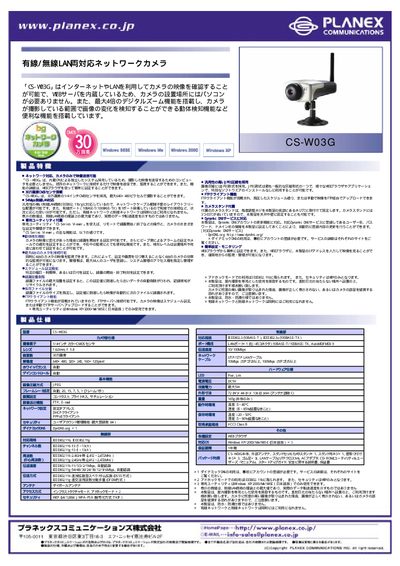
Planex CS-W03G Network Camera User Manual
This manual describes the features of the Planex CS‑W03G indoor network camera, including up to 4× digital zoom, motion detection, and built‑in VEB server for browser‑based viewing without a PC. It also covers network options, FTP client functions, and recording settings.
Installation instructions, power requirements, environmental limits, and a full list of technical specifications are provided, along with a package contents checklist and warranty information. This manual is written in Japanese.
Covers: Product Overview · Key Features · Network Setup · FTP Client Function · Recording Settings · Power and Installation

Planex CS-W02G Wireless Network Camera User Manual
This manual covers the complete setup of the Planex CS-W02G wireless network camera, including hardware installation, software configuration, and network settings. Detailed steps guide users through connecting the camera, configuring IP settings, and enabling features such as UPnP, DDNS, and motion detection.
Additional sections address advanced options, firmware updates, and a comprehensive FAQ that helps resolve common issues like video playback problems, user limits, and audio settings. This manual is written in Japanese.
Covers: Product Introduction · Installation · Web Interface Configuration · Advanced Settings · FAQ
Planex Mini 100U USB Print Server User Manual
This manual explains how to install and configure the Planex Mini 100U USB Print Server. It includes safety information, hardware overview, and basic operation steps.
The LAN Installation section details the network connection process, configuration parameters, and troubleshooting tips to get the print server up and running on a local network.
Covers: User's Manual · LAN Installation
Latest Planex manuals
Planex CS-W03G Network Camera User Manual
User Manual 1 pages · 94 KB · JAThe Planex CS-W03G network camera user manual provides setup, configuration, and operation instructions for the indoor IP camera.
Planex CS-W02G Wireless Network Camera User Manual
User Manual 92 pages · 4.7 MB · JAThe Planex CS-W02G manual provides installation, configuration, and troubleshooting instructions for the wireless network camera.
Planex Mini 100U USB Print Server User Manual
User Manual 52 pages · 2.1 MB · ENThe Planex Mini 100U USB Print Server User Manual provides setup, LAN installation, and operation instructions for the device.
Which document do I need?
User Manual
Day-to-day operation, settings and troubleshooting. Start here if the product is already set up.
Questions answered in Planex manuals
Can I view the camera video without a PC?
Yes, the camera has a built‑in VEB server, allowing video viewing through a web browser without a computer.
Does the camera support FTP recording?
Yes, the FTP client function lets you upload video to an FTP server on a schedule or manually.
Why can't I view video from the CS‑W02G camera?
Possible causes are a non‑lit LED on the camera or Internet Explorer security settings that block the video stream.
How many users can simultaneously use the CS‑W02G camera?
The camera supports up to ten users logged in at the same time.
How do I install the LAN connection for the Mini 100U?
The manual includes a dedicated LAN Installation section that walks you through connecting the device to a network.