
Key facts
- Manuals
- 1
- Languages
- ZH
- Last added
- 2012-01-21
Featured MGM manuals
APCEE MGM 50570 Multichannel Monitor Installation Guide
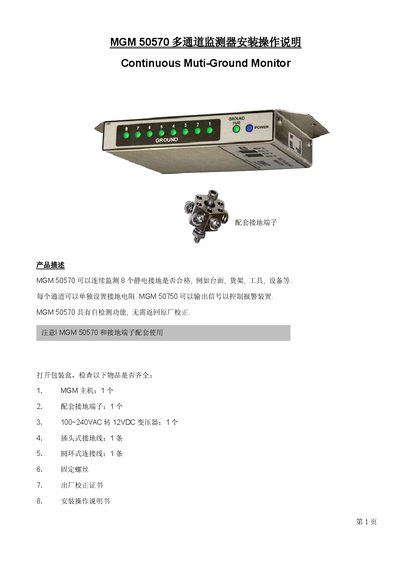
The MGM 50570 is a continuous multichannel ground monitor that can check up to eight grounding points such as work‑benches, shelves, tools, or equipment. The package includes the main unit, a grounding terminal block, a 100‑240 VAC to 12 VDC transformer, a plug‑type grounding lead, mounting screws, a calibration certificate, and this instruction manual.
The guide covers unpacking, front‑panel indicators, rear‑panel connections, setting resistance values for each channel, installation steps, alarm control, self‑calibration, self‑diagnosis, and technical specifications. It also explains how to use the SET keys to enter setting, calibration, and diagnostic modes, and how the green and red LEDs indicate grounding resistance status. This manual is written in Chinese.
Covers: Product Description · Unpacking · Front Panel Indicators · Rear Interface Functions · Settings Panel · Installation
Latest MGM manuals
APCEE MGM 50570 Multichannel Monitor Installation Guide
Installation Guide 4 pages · 379 KB · ZHThe APCEE MGM 50570 multichannel monitor installation guide explains setup, operation, calibration, and troubleshooting of the 8‑channel grounding monitor.
Which document do I need?
Installation Guide
Mounting, wiring and first power-up. Read it before the hardware goes in.
Questions answered in MGM manuals
How do I disable the alarm sound?
Press and hold the SET1 key for more than 3 seconds; the alarm sound will be turned off.
From: APCEE MGM 50570 Multichannel Monitor Installation Guide
How many grounding channels does the MGM 50570 monitor?
It monitors eight separate grounding channels.
From: APCEE MGM 50570 Multichannel Monitor Installation Guide