
Key facts
- Manuals
- 2
- Languages
- ZH
- Last added
- 2012-03-12
Featured MC8300 manuals
MC8300 color laser MFP user manual
This manual provides detailed instructions for installing, configuring, and using the 4989/7525 series color laser MFP. It includes safety information, guidance on selecting a location, connecting cables, loading paper and special media, and configuring printer, scanner, fax, and email functions.
The document also covers maintenance tasks such as replacing consumables, cleaning the printer, troubleshooting common issues like paper jams, print quality problems, and fax errors, and provides reference tables for supported paper sizes, capacities, and optional accessories. This manual is written in Chinese.
Covers: Safety Information · Printer Installation and Location Selection · Paper Loading and Tray Options · Scanner and ADF Operation · Fax and Email Setup · Menu and Network Configuration
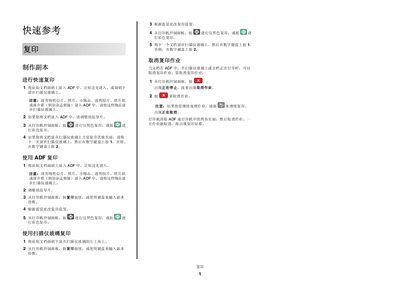
MC8300 Quick Start Guide
This quick reference provides step‑by‑step instructions for common tasks on the MC8300 printer, including copying documents, setting up email, sending faxes and scanning to a computer or USB drive. Each section lists the required button presses and settings on the printer control panel.
The guide also explains how to cancel ongoing jobs, adjust paper guides, and create shortcut entries for email and fax destinations, helping users operate the device efficiently without consulting a full manual. This manual is written in Chinese.
Covers: Quick Reference · Email Setup · Fax Operation · Scanning to Computer or USB · Canceling Jobs
Latest MC8300 manuals
MC8300 color laser MFP user manual
User Manual 216 pages · 2.8 MB · ZHUser manual for the 4989/7525 series color laser multifunction printer, covering setup, operation, maintenance, and troubleshooting.
MC8300 Quick Start Guide
Quick Start Guide 5 pages · 146 KB · ZHA concise quick‑start guide for the MC8300 multifunction printer covering copying, emailing, faxing and scanning.
Which document do I need?
User Manual
Day-to-day operation, settings and troubleshooting. Start here if the product is already set up.
Quick Start Guide
The shortest path to a working setup, usually only a few pages.
Questions answered in MC8300 manuals
What should I do if paper jams repeatedly occur?
Clear the jammed paper, then check the paper guides and ensure the loaded paper matches the printer’s specifications.
How can I load a 650‑page dual‑layer tray?
Install the optional 650‑page dual‑layer tray according to the installation section, then load paper as described in the paper loading guide.
How do I cancel a copy job on the MC8300?
Press the cancel button on the printer control panel; the display will show "正在停止" and then "取消作业".
From: MC8300 Quick Start Guide
How can I set up the email function on the printer?
Open a web browser, enter the printer’s IP address, go to Settings → Email/FTP Settings, configure the server and submit the changes.
From: MC8300 Quick Start Guide