
Key facts
- Manuals
- 3
- Languages
- JA · ZH
- Last added
- 2011-10-01
Featured Level manuals
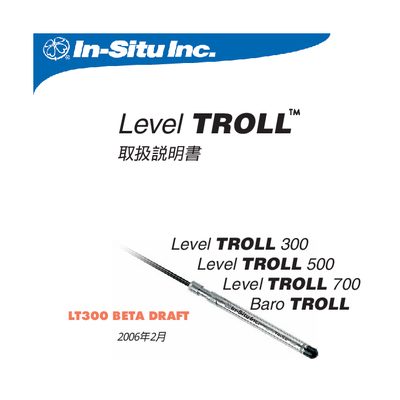
In‑Situ Level TROLL Operating Instructions
This manual explains how to use the Level TROLL system, a compact, modular instrument for measuring water level and temperature in groundwater, surface water, and industrial settings. It covers system components, required accessories, and safety information.
Key sections include system overview, connection of rugged or programming cables, sensor calibration, field installation guidelines, data logging setup, maintenance procedures, and troubleshooting. Compliance with CE, FCC, and relevant EMC/Low‑Voltage directives is also documented. This manual is written in Japanese.
Covers: System Overview · Getting Started · System Configuration · Pressure/Water Level Sensor · Installation Guidelines · Software Installation and Connection
level BioSpectrum500 easy Manual
This manual explains how to power on the BioSspectrum 500, start the computer, and launch the UVP imaging software. It guides you through loading the membrane, adjusting its position, and opening the dark‑box door before capturing images.
It also covers image adjustments using the histogram window, saving images in SQV or TIF format, inverting image colors, and proper shutdown procedures, including exiting the software and turning off the main power switch. This manual is written in Chinese.
Covers: Power On · Software Startup · Loading Membrane · Image Capture · Image Adjustment · Saving Images
Latest Level manuals
In‑Situ Level TROLL Operating Instructions
User Manual 70 pages · 3.8 MB · JAThe In‑Situ Level TROLL operating manual provides setup, installation, calibration, and maintenance instructions for the Level TROLL water level monitoring…
level BioSpectrum500 easy Manual
User Manual 2 pages · 708 KB · ZHThe Level Biotechnology BioSspectrum 500 user manual provides step‑by‑step instructions for operating the UV imaging system.
level UVP GelDoc-ItIt Imaging System Imaging System VisionWorks VisionWorks LS 6.5.2v chinese Operating Manual
Which document do I need?
User Manual
Day-to-day operation, settings and troubleshooting. Start here if the product is already set up.
Questions answered in Level manuals
How do I connect the Level TROLL to a computer?
Connect the Level TROLL using the rugged cable or programming cable as described in the connection section.
What should I do if the device is damaged during shipping?
Inspect the unit for any physical damage after unpacking; if damage is found, contact In‑Situ or the distributor before operating the instrument.
How can I adjust image intensity?
Use the small box in the Histogram window to modify the signal strength and background value.
What is the proper shutdown procedure?
Exit the control software, then turn off the main power switch of the unit.