
Key facts
- Manuals
- 8
- Languages
- JA
- Last added
- 2012-02-09
Featured I-O manuals
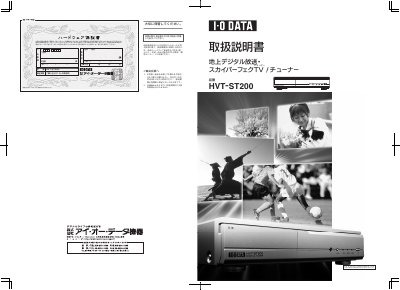
I-O Data HVT-ST200 Digital TV Tuner User Manual
This user manual explains how to safely set up and use the HVT-ST200 digital TV tuner. It includes important safety warnings, warranty registration instructions, and guidance on proper handling to avoid fire or electric shock.
The document also describes the tuner’s features, supported broadcast standards, connection options (video, audio, antenna, and telephone line), and technical specifications such as power consumption, dimensions, and supported frequency bands. This manual is written in Japanese.
Covers: Introduction · Features · Contents Check · Component Names · Remote Control · Specifications
I-O Data SEG CLIP 4 User Manual
This manual provides step‑by‑step instructions for connecting the SEG CLIP 4 to a computer, enabling the clip function, and navigating the on‑screen menus. It also covers how to set up recording reservations and use the TVPlayer application for playback.
Additional sections describe how to export recorded programs to iPhone, iPod touch, or Android devices, and where to find help within the software. The guide includes notes on system requirements and performance considerations. This manual is written in Japanese.
Covers: Connecting to PC · Clip Function On/Off · Menu Navigation · Recording Reservation · TVPlayer Installation · Exporting Recorded Programs
Latest I-O manuals
I-O Data HVT-ST200 Digital TV Tuner User Manual
User Manual 41 pages · 4.8 MB · JAThe manual provides safety warnings, installation steps, operation instructions and warranty information for the I-O Data HVT-ST200 digital TV and Sky…
I-O DATA PJ-112XGA Manual
I-O DATA WN-B11/CMB Manual
I-O DATA SO-TLSD Manual
I-O DATA GV-DVC2/CB Manual
I-O DATA GV-BCTV5/USB Manual
I-O DATA mAgicTV-RC Manual
I-O Data SEG CLIP 4 User Manual
User Manual 2 pages · 1.6 MB · JAThe I-O Data SEG CLIP 4 User Manual explains how to connect the device to a PC, use clip functions, schedule recordings, and transfer video to mobile devices.
Which document do I need?
User Manual
Day-to-day operation, settings and troubleshooting. Start here if the product is already set up.
Questions answered in I-O manuals
How long is the warranty period?
The warranty is valid for 12 months from the purchase date.
Can the HVT‑ST200 be used outside Japan?
No. The product is for use only in Japan and the manufacturer provides no support or liability for use abroad.