
Key facts
- Manuals
- 1
- Languages
- ZH
- Last added
- 2012-01-29
Featured H4-ECOM manuals
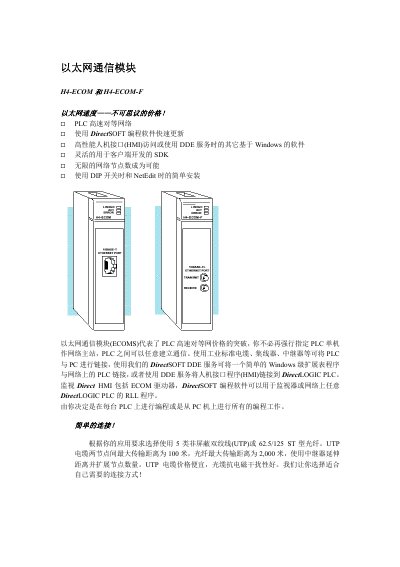
Automation Direct H4-ECOM / H4-ECOM-F Ethernet Communication Module Manual
The H4-ECOM and H4-ECOM-F modules enable high‑speed peer‑to‑peer networking between DirectLOGIC PLCs and PCs. They support both 10BaseT (UTP) and 10BaseFL (ST‑type fiber) Ethernet, allowing flexible cabling choices and up to 100 m or 2 km link distances respectively. The modules integrate with DirectSOFT programming software and DirectLOGIC HMI tools for monitoring and control.
Installation is performed by inserting the module into any DL405 I/O slot, with power removed before any changes. NetEdit software provides a graphical interface for assigning module IDs, selecting TCP/IP or IPX protocols, and configuring communication parameters. Power consumption is 530 mA for H4-ECOM and 670 mA for H4-ECOM-F. This manual is written in Chinese.
Covers: Specifications · Communication Options · Installation · Configuration · Power Consumption · Supported Protocols
Latest H4-ECOM manuals
Automation Direct H4-ECOM / H4-ECOM-F Ethernet Communication Module Manual
User Manual 3 pages · 71 KB · ZHThe manual provides specifications, connection options, and usage instructions for the Automation Direct H4-ECOM and H4-ECOM-F Ethernet communication modules.
Which document do I need?
User Manual
Day-to-day operation, settings and troubleshooting. Start here if the product is already set up.
Questions answered in H4-ECOM manuals
What is the maximum UTP cable length for the H4-ECOM module?
The maximum distance for a UTP cable is 100 meters (328 feet).
From: Automation Direct H4-ECOM / H4-ECOM-F Ethernet Communication Module Manual
Which Ethernet protocols are supported by the H4-ECOM modules?
Both TCP/IP and IPX protocols are supported.
From: Automation Direct H4-ECOM / H4-ECOM-F Ethernet Communication Module Manual