
Key facts
- Manuals
- 1
- Languages
- ZH
- Last added
- 2011-12-02
Featured FX-T4827C256D manuals
FX-T4827C256D LCD Controller User Manual
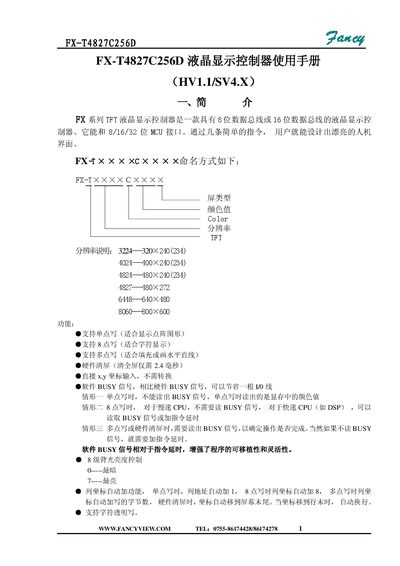
This manual describes the FX‑T series TFT LCD controller, which supports 8‑bit or 16‑bit data buses and can interface with 8/16/32‑bit MCUs. It explains the controller's hardware connections, pin definitions, and supported display resolutions such as 480×272, 640×480 and 800×600.
The document includes detailed register tables, programming instructions, and example code for single‑point, 8‑point, multi‑point writes, hardware clear screen, backlight brightness control, and transparent character writing. It also provides command and data port addresses for use with typical microcontrollers. This manual is written in Chinese.
Covers: Introduction · Controller Board Interface and Settings · MCU Interface · LCD Panel Interface · Register Table · Register Programming Guide
Latest FX-T4827C256D manuals
FX-T4827C256D LCD Controller User Manual
User Manual 10 pages · 328 KB · ZHThe FX‑T4827C256D LCD controller user manual provides interface specifications, register tables, and programming examples for 8‑/16‑bit data bus operation.
Which document do I need?
User Manual
Day-to-day operation, settings and troubleshooting. Start here if the product is already set up.
Questions answered in FX-T4827C256D manuals
How do you enable hardware clear screen?
Write the command 0x32 to the command port (WCMD) and any value to the data port (WDAT) to trigger a hardware clear screen.
What is the address of the command port for the controller?
The command port address is 0x7E00.