
Key facts
- Manuals
- 1
- Languages
- JA
- Last added
- 2011-12-10
Featured FK1320 manuals
FK1320 User Manual
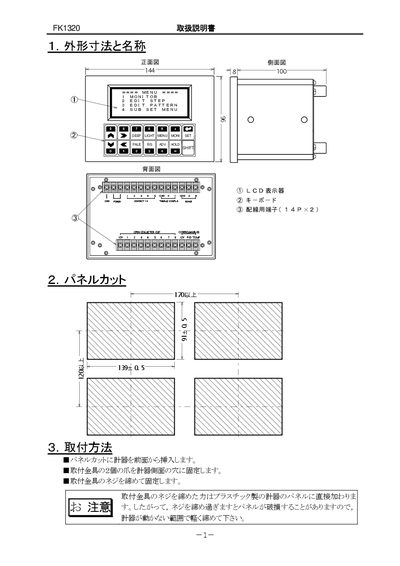
This manual explains how to install the FK1320, including panel cutting, mounting, and wiring of power, signal, and RS485 terminals. It also covers safety precautions and recommended environmental conditions.
The guide details the operation of the device, such as screen contrast adjustment, temperature measurement verification, key functions, data input methods, and various operation modes. Troubleshooting steps are provided for power‑on issues and abnormal behavior. This manual is written in Japanese.
Covers: Installation and Wiring · Panel Cutting and Mounting · Key Description · Data Input Method · Operation Modes · Screen Contrast Adjustment
Latest FK1320 manuals
FK1320 User Manual
User Manual 30 pages · 611 KB · JAThe FK1320 manual provides installation, wiring, operation, data entry, and troubleshooting instructions for the controller.
Which document do I need?
User Manual
Day-to-day operation, settings and troubleshooting. Start here if the product is already set up.
Questions answered in FK1320 manuals
What power supply should be used with the FK1320?
Use a stable 85‑230 VAC supply at 50 Hz or 60 Hz.
From: FK1320 User Manual
How can the screen contrast be adjusted?
Press the PALE key to increase contrast or the LIGHT key to decrease it until the display is most readable.
From: FK1320 User Manual